Advanced DIY: Crafting Custom Smart Home Routines with IFTTT & Zigbee for 2026’s Smartest Homes
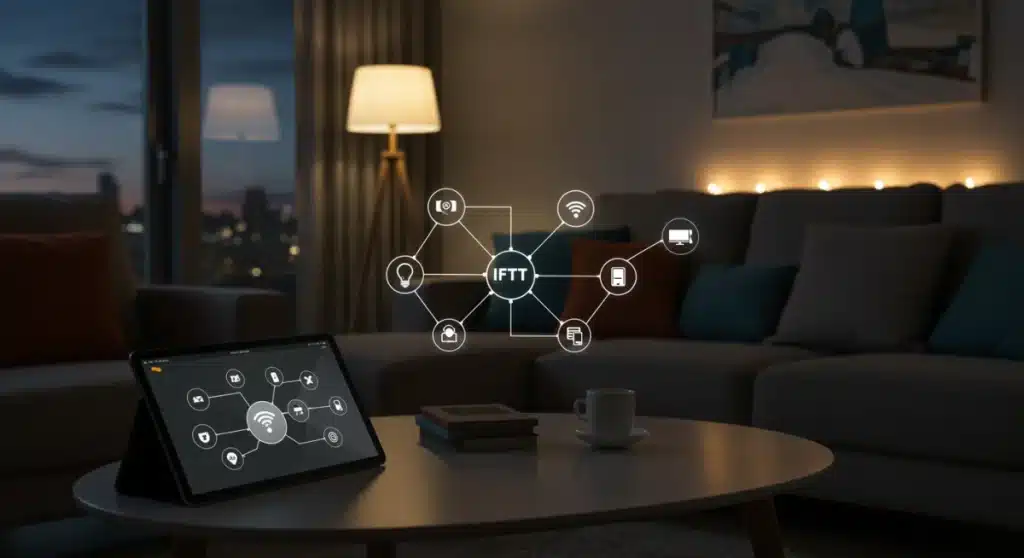
Advanced DIY: Building Custom Smart Home Routines with IFTTT and Zigbee Devices for 2026’s Smartest Homes
Welcome to the forefront of home automation! As we step further into 2026, the concept of a smart home has evolved far beyond simple voice commands and remote control. Today, the true power lies in crafting sophisticated, interconnected smart home routines that anticipate your needs, adapt to your lifestyle, and enhance your daily living experience. This comprehensive guide will delve deep into the exciting world of advanced DIY smart home automation, specifically focusing on leveraging the versatility of IFTTT (If This Then That) and the robust reliability of Zigbee devices. Prepare to transform your living space into a truly intelligent environment, where every device works in harmony to create the smartest home possible.
The Evolution of Smart Home Routines: Beyond the Basics
For many, the journey into smart home technology begins with a smart speaker or a few smart bulbs. While these devices offer convenience, they often operate in isolation. The real magic, and the focus of this article, is in creating intricate smart home routines that orchestrate multiple devices and services to perform complex actions based on specific triggers. Imagine your home not just reacting to your commands, but proactively adjusting its environment to suit your preferences, enhance security, and save energy.
Why IFTTT and Zigbee are Your Power Duo for Advanced Automation
When it comes to building truly advanced smart home routines, the combination of IFTTT and Zigbee stands out as a formidable partnership. Let’s break down why:
- IFTTT: The Ultimate Connector: IFTTT acts as the glue that binds disparate services and devices together. Its ‘If This, Then That’ logic allows you to create powerful applets (automated tasks) that trigger actions based on conditions from hundreds of services, including weather, location, email, and, crucially, your smart home devices. This open-ended flexibility is paramount for complex routines.
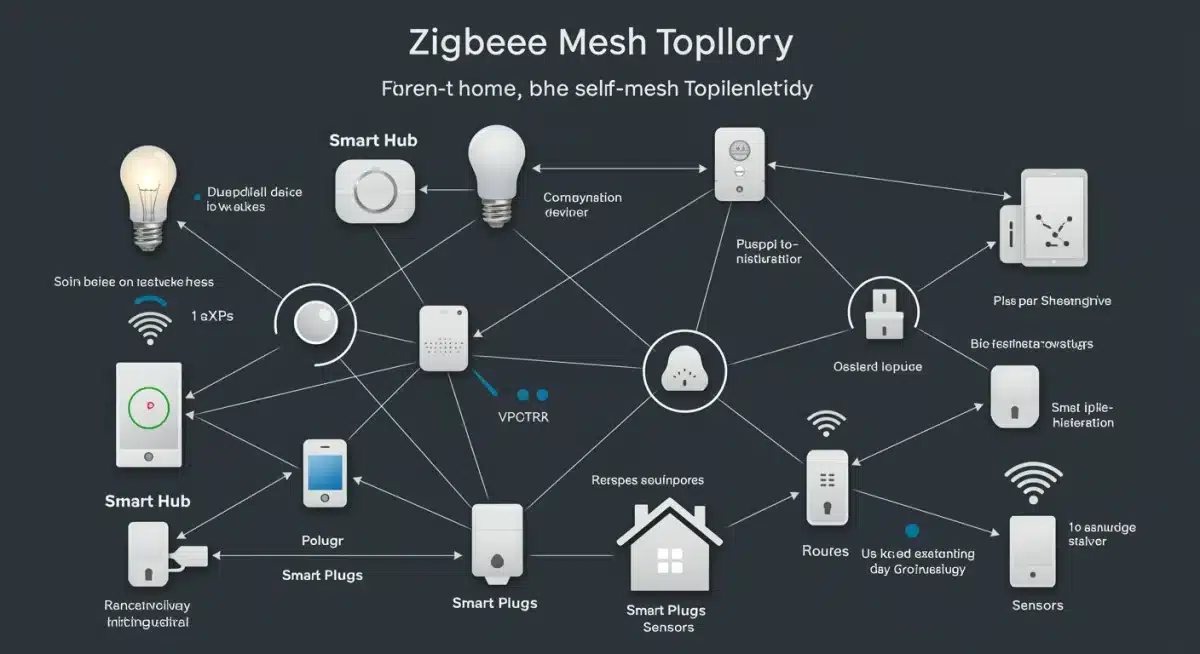
- Zigbee: The Reliable Network for Devices: Zigbee is a wireless communication protocol specifically designed for low-power, short-range, mesh networking applications in smart homes. Unlike Wi-Fi, which can become congested and is power-intensive for small sensors, Zigbee creates a robust, self-healing mesh network. This means devices can relay signals to each other, extending the range and reliability of your smart home system. Zigbee devices are known for their quick response times, energy efficiency, and broad compatibility across different brands (with a compatible hub).
By combining IFTTT’s expansive integration capabilities with Zigbee’s stable and efficient device network, you unlock an unparalleled level of customization for your smart home routines. This synergy allows you to move beyond simple on/off commands to truly intelligent, context-aware automation.
Understanding the Building Blocks: IFTTT Applets and Zigbee Devices
Deconstructing IFTTT Applets for Advanced Smart Home Routines
An IFTTT applet consists of a ‘trigger’ and an ‘action’. The beauty of IFTTT for creating advanced smart home routines lies in the vast array of available triggers and actions. Here’s a closer look:
- Triggers (The ‘If This’): These are the events that initiate your routine. Examples pertinent to smart homes include:
- Device-based: A Zigbee motion sensor detects movement, a door/window sensor opens, a smart button is pressed.
- Location-based: You arrive home, you leave a specific area.
- Time-based: A specific time of day, sunrise/sunset.
- Web service-based: A new email from a specific sender, a change in weather conditions, a stock price hits a certain level.
- Actions (The ‘Then That’): These are the tasks performed when the trigger occurs. For smart home routines, actions often involve:
- Device control: Turn on/off lights, adjust thermostat, lock doors, activate smart plugs.
- Notifications: Send a push notification, an email, or an SMS.
- Logging: Add an entry to a spreadsheet or a calendar.
- Interacting with other services: Post to social media (less common for home automation, but possible).
The real power emerges when you chain these together or use multiple triggers/actions to create complex logic. While IFTTT’s native logic is ‘If A, Then B’, you can achieve more complex ‘If A AND B, Then C’ scenarios by using virtual switches or webhooks, which we’ll explore later.
The World of Zigbee Devices: Your Reliable Hardware Backbone
Zigbee devices form the physical infrastructure of your advanced smart home routines. To use Zigbee devices, you’ll need a Zigbee hub (also known as a gateway or controller). Popular Zigbee hubs include SmartThings, Hubitat, Amazon Echo (select models), Home Assistant with a Zigbee dongle, and Philips Hue Bridge (for Hue lights). These hubs translate Zigbee signals into a language your home network (and thus, IFTTT) can understand.
Key Zigbee devices for robust smart home routines include:
- Smart Bulbs: Energy-efficient, dimmable, and color-changing.
- Motion Sensors: Crucial for presence detection and occupancy-based automation.
- Door/Window Sensors: Ideal for security, lighting control, and HVAC adjustments.
- Smart Plugs: Turn any traditional appliance into a smart device.
- Temperature/Humidity Sensors: For environmental monitoring and climate control.
- Smart Buttons/Remotes: Provide physical triggers for complex routines.
- Smart Locks: Enhance security and provide access control.
The beauty of Zigbee is its interoperability. While some ecosystems prefer their own devices, many Zigbee devices from different manufacturers can often be paired with a universal Zigbee hub, offering flexibility and choice in building your ultimate smart home.
Setting Up Your Foundation: Getting Started with IFTTT and Zigbee
Choosing Your Zigbee Hub and Devices
The first step in building your advanced smart home routines is selecting the right Zigbee hub. Consider factors like:
- Compatibility: Does it support the Zigbee devices you plan to use?
- Ecosystem: Does it integrate well with other smart home platforms you already use?
- IFTTT Integration: Does the hub have an official IFTTT service or can it be connected via other means (e.g., webhooks or virtual devices)?
- Local Processing: Does it process routines locally (faster, more reliable) or rely heavily on cloud processing?
Once you have your hub, start with a few core Zigbee devices that address immediate needs or exciting automation possibilities. Motion sensors and smart lights are excellent starting points for demonstrating the power of smart home routines.
Connecting Your Zigbee Devices to Your Hub
Each Zigbee hub has a slightly different pairing process, but generally, it involves:
- Putting your hub in ‘pairing mode’.
- Activating the pairing mode on your Zigbee device (often by holding a button or cycling power).
- The device appearing in your hub’s app, where you can name it and assign it to a room.
Ensure your devices are within range of the hub or other mains-powered Zigbee devices (which act as repeaters) to build a strong mesh network.
Linking Your Smart Home Hub to IFTTT
Most popular Zigbee hubs (like SmartThings, Hubitat, Philips Hue) have dedicated services within IFTTT. To connect:
- Go to IFTTT.com or open the IFTTT app.
- Search for the service corresponding to your Zigbee hub (e.g., ‘SmartThings’, ‘Philips Hue’).
- Click ‘Connect’ and follow the on-screen prompts to authorize IFTTT to access your hub’s devices.
Once connected, your Zigbee devices will appear as potential triggers and actions within IFTTT, ready to be incorporated into your smart home routines.
Crafting Advanced Smart Home Routines with IFTTT and Zigbee: Examples and Techniques
Now for the exciting part: building intelligent smart home routines that elevate your home’s IQ. Here are some advanced examples and techniques:
Example 1: The Intelligent Welcome Home Routine
Goal: Your home prepares itself for your arrival, adjusting lighting, temperature, and even playing your favorite music.
Devices & Services: SmartThings/Hubitat (for location and Zigbee devices), Zigbee smart lights, Zigbee thermostat, Spotify (via IFTTT).
IFTTT Applet 1 (Arrival Trigger):
- If This: SmartThings/Hubitat (Location) – ‘You arrive at a specific area’ (your home address).
- Then That:
- SmartThings/Hubitat (Lights) – ‘Turn on specific lights’ (e.g., living room, hallway) to a warm white and 50% brightness.
- SmartThings/Hubitat (Thermostat) – ‘Set thermostat to X degrees’.
- Spotify (Actions) – ‘Play a specific playlist’.
Enhancement: Add a condition for time of day. If it’s after sunset, use a brighter, warmer light setting; if it’s daytime, maybe just turn on a single accent light or skip lighting altogether.
Example 2: Occupancy-Based Lighting and Energy Saving
Goal: Lights turn on automatically when you enter a room and turn off when it’s empty, saving energy.
Devices: Zigbee motion sensor, Zigbee smart lights.
IFTTT Applet 1 (Turn On):
- If This: SmartThings/Hubitat (Motion Sensor) – ‘Motion detected in [Room Name]’.
- Then That: SmartThings/Hubitat (Lights) – ‘Turn on [Room Name] lights’.
IFTTT Applet 2 (Turn Off – The Advanced Part):
- If This: SmartThings/Hubitat (Motion Sensor) – ‘No motion detected in [Room Name] for X minutes’. (This is crucial for preventing lights from turning off while you’re still in the room but stationary).
- Then That: SmartThings/Hubitat (Lights) – ‘Turn off [Room Name] lights’.
Enhancement: Only run this routine during specific hours (e.g., after dark) or if ambient light levels are below a certain threshold (if you have a light sensor). This prevents lights from turning on unnecessarily during the day.
Example 3: Enhanced Home Security with Notifications
Goal: Receive immediate alerts if a door or window is opened while you’re away, and trigger deterrents.
Devices & Services: SmartThings/Hubitat, Zigbee door/window sensors, Zigbee smart siren, IFTTT Notifications.
IFTTT Applet 1 (Door Open Alert):
- If This: SmartThings/Hubitat (Door/Window Sensor) – ‘[Front Door] opens’.
- Then That:
- IFTTT Notifications – ‘Send a notification to your phone: Front door opened!’.
- SmartThings/Hubitat (Siren) – ‘Turn on [Smart Siren]’. (Optional, for immediate deterrent).
Enhancement: Only enable this routine when your home is ‘armed away’ (a mode configured in your smart home hub). You can use another IFTTT applet to arm/disarm your system based on your location or a smart button press.
Example 4: Climate Control Based on Multiple Factors
Goal: Optimize indoor climate using temperature, humidity, and window status.
Devices & Services: SmartThings/Hubitat, Zigbee temperature/humidity sensor, Zigbee door/window sensor, Zigbee smart thermostat.
IFTTT Integration Strategy: This often requires a more advanced hub like SmartThings or Hubitat to handle the ‘AND’ logic internally, as IFTTT primarily works with single triggers. However, IFTTT can be used to trigger actions based on the hub’s custom routines.
Hub Routine (e.g., SmartThings):
- If: Temperature in living room > 75°F AND Humidity > 60% AND Window is closed.
- Then: Set thermostat to Cool mode, 72°F.
IFTTT Applet (Notification for open window):
- If This: SmartThings/Hubitat (Window Sensor) – ‘Window [Living Room] opens’.
- Then That: IFTTT Notifications – ‘Send a notification: Living Room window open, AC is on!’. (This reminds you to close the window to save energy).
This demonstrates how IFTTT can complement your hub’s native automation for more nuanced smart home routines.
Advanced Techniques for Power Users: Pushing the Boundaries of Your Smart Home Routines
Virtual Switches and Placeholders: Expanding IFTTT’s Logic
IFTTT’s native ‘If This, Then That’ structure can be limiting for complex ‘AND’ or ‘OR’ logic. Virtual switches (also called virtual devices or placeholders) in your Zigbee hub are a powerful workaround. A virtual switch is a software-only device that can be turned on/off like a physical switch but exists only in your hub’s software.
How to use them for advanced smart home routines:
- Create a virtual switch in your SmartThings or Hubitat hub (e.g., ‘Away Mode Engaged’).
- IFTTT Applet 1: If ‘You leave home’ (Location trigger), Then ‘Turn on Virtual Switch: Away Mode Engaged’.
- IFTTT Applet 2: If ‘Virtual Switch: Away Mode Engaged is on’ AND ‘Front Door opens’ (trigger from your hub’s service), Then ‘Send critical alert and flash lights’.
This allows you to combine multiple conditions before triggering an IFTTT action, making your smart home routines much smarter.
Webhooks: The Ultimate Customization Tool
For the truly adventurous, IFTTT’s Webhooks service provides maximum flexibility. Webhooks allow you to send or receive data from virtually any web service or custom script. This means you can trigger IFTTT applets from devices or services that don’t have a direct IFTTT integration, or trigger external services from IFTTT.
Use Cases for Zigbee and Webhooks in Smart Home Routines:
- Triggering an IFTTT applet based on a custom event from a Zigbee device that your hub exposes via an API.
- Having an IFTTT applet (e.g., ‘If motion detected’) send a webhook to a custom script that performs a very specific action not available in IFTTT’s native actions (e.g., updating a personalized dashboard, controlling a non-smart device via a Raspberry Pi).
Webhooks require some technical comfort with APIs and scripting, but they open up a world of possibilities for hyper-customized smart home routines.
Leveraging Delays and Conditional Logic within Your Hub
While IFTTT is excellent for bridging services, your Zigbee hub often provides more robust native capabilities for delays, conditional logic (AND/OR statements), and sequences. For example, a ‘Good Night’ routine in SmartThings might:
- Turn off all lights.
- Lock all Zigbee smart locks.
- Set the thermostat to a sleep temperature.
- Arm the security system.
You can then use IFTTT to trigger this entire hub routine (e.g., ‘If I say “Good Night” to Google Assistant, Then run SmartThings routine “Good Night”‘). This offloads complex logic to the hub, where it often executes faster and more reliably (locally) while using IFTTT for the initial trigger or cross-platform integration.
Maintaining and Optimizing Your Smart Home Routines
Building advanced smart home routines is an ongoing process. To ensure your smart home remains truly smart and reliable, consider these tips:
Regular Review and Refinement
Life changes, and so should your smart home routines. Periodically review your IFTTT applets and hub routines. Are they still serving their purpose? Are there new devices or services that could enhance them? Remove routines that are no longer needed to keep your system clean and efficient.
Troubleshooting Common Issues
- Routine Not Firing: Check IFTTT’s ‘Activity’ log to see if the trigger was received. Verify device status in your Zigbee hub. Ensure all devices are powered and connected.
- Slow Response: For Zigbee devices, check your mesh network strength. Add more mains-powered Zigbee devices (like smart plugs or repeater bulbs) to extend the network. Ensure your hub is not overloaded.
- Network Congestion: If you have many Wi-Fi devices, consider if a Zigbee device would be more appropriate for certain functions, as Zigbee operates on a different frequency (often 2.4 GHz, but with channel separation).
- IFTTT Delays: While generally fast, IFTTT relies on cloud services. For mission-critical or very time-sensitive automations, prioritize routines that can be handled entirely locally by your Zigbee hub.
Security Best Practices for Your Smart Home Routines
As you build more interconnected smart home routines, security becomes increasingly important:
- Strong Passwords: Use unique, strong passwords for your IFTTT, Zigbee hub, and all connected services.
- Two-Factor Authentication (2FA): Enable 2FA wherever possible.
- Limit Permissions: Only grant IFTTT and other services the necessary permissions.
- Regular Updates: Keep your Zigbee hub firmware and IFTTT app updated.
- Consider Local Control: For critical security functions, prioritize solutions that offer local processing within your hub, reducing reliance on external cloud services.
By adhering to these practices, you can enjoy the benefits of advanced automation with peace of mind.
The Future of Smart Home Routines: What’s Next for 2026 and Beyond?
The landscape of smart home automation is constantly evolving. In 2026, we can anticipate several key trends that will further enhance our ability to create sophisticated smart home routines:
- Matter Integration: The Matter standard is designed to improve interoperability across different smart home ecosystems. As Matter-certified Zigbee devices and hubs become more prevalent, building cross-platform routines will become even more seamless, potentially reducing the need for services like IFTTT for basic bridging. However, IFTTT will likely remain crucial for integrating with non-Matter services (e.g., weather, email).
- AI and Machine Learning: Expect more advanced AI and machine learning capabilities to be integrated into smart home hubs. This will allow smart home routines to become truly predictive and self-optimizing, learning your habits over time and making adjustments without explicit programming. Imagine your home automatically adjusting lighting based on your mood, or optimizing energy usage based on predicted occupancy patterns.
- Edge Computing: More processing will occur directly on devices or within local hubs (edge computing), reducing reliance on the cloud. This means faster response times, greater reliability, and enhanced privacy for your smart home routines.
- Advanced Sensor Fusion: The integration of more sophisticated sensors (e.g., air quality, sleep tracking, advanced presence detection) will provide richer data inputs for even more nuanced and personalized smart home routines.
These advancements promise to make building and managing intricate smart home routines even more powerful and accessible, further blurring the lines between a house and a truly intelligent home.
Conclusion: Your Smart Home, Redefined by Custom Routines
Building custom smart home routines with IFTTT and Zigbee devices is more than just a tech hobby; it’s an investment in a more convenient, secure, and energy-efficient lifestyle. By understanding the capabilities of these powerful tools and applying the advanced techniques discussed, you can move beyond basic automation to create a home that truly understands and responds to your unique needs.
From intelligently welcoming you home to proactively managing energy, enhancing security, and optimizing your comfort, the possibilities are virtually limitless. Embrace the DIY spirit, experiment with different applets and devices, and continuously refine your automations. As we progress through 2026 and into the future, your ability to craft sophisticated smart home routines will be the key to unlocking the full potential of your connected living space, making your home not just smart, but truly brilliant.