Welcome to the future of living! With 2026 upon us, the allure of a fully automated, intelligent home is stronger than ever. The promise of convenience, energy efficiency, and enhanced security makes a DIY Smart Home Hub setup an increasingly popular project for tech-savvy homeowners. However, embarking on this journey without proper foresight can lead to frustrating integration headaches and a less-than-optimal smart home experience.
This comprehensive guide is designed to equip you with the knowledge needed to successfully implement your DIY Smart Home Hub in 2026, specifically focusing on how to avoid the most common integration mistakes. We’ll delve deep into planning, compatibility, security, and future-proofing, ensuring your smart home isn’t just functional, but truly brilliant.
The Evolution of the DIY Smart Home Hub in 2026
The landscape of smart home technology has evolved dramatically. What once required professional installation and hefty price tags is now accessible to the average DIY enthusiast. In 2026, a DIY Smart Home Hub is no longer a niche product but a central component of modern living. Hubs have become more powerful, user-friendly, and capable of integrating a wider array of devices from different manufacturers.
Understanding this evolution is crucial. Early smart home setups often suffered from proprietary ecosystems that limited device choices and functionality. Today, open standards and more flexible hub architectures mean greater freedom, but also a greater need for careful planning to ensure seamless integration. The goal is not just to have smart devices, but to have them work together harmoniously, creating a truly intelligent environment that anticipates your needs.
Mistake #1: Neglecting Comprehensive Planning and Compatibility Checks
One of the most significant pitfalls in any DIY Smart Home Hub setup is a lack of thorough planning. Many enthusiasts jump straight into buying devices without considering how they will all communicate. This often leads to compatibility issues, fragmented control, and a system that’s more frustrating than convenient.
The Importance of a Smart Home Blueprint
Before purchasing a single device, create a detailed blueprint of your desired smart home. Ask yourself:
- What specific problems do I want to solve with smart technology? (e.g., energy saving, security, convenience)
- Which rooms or areas will be automated first?
- What types of devices do I envision? (e.g., lighting, thermostats, security cameras, smart locks, speakers)
- Who will be using the system, and what are their needs?
This blueprint will guide your decisions and prevent impulsive purchases that don’t fit into your overall vision.
Understanding Communication Protocols and Standards
The heart of avoiding compatibility issues lies in understanding the various communication protocols used by smart devices. In 2026, the most prevalent include:
- Wi-Fi: Ubiquitous and easy to set up, but can consume significant bandwidth and battery life for some devices.
- Bluetooth: Great for short-range, direct connections, but not ideal for whole-home automation.
- Zigbee: A low-power, mesh network protocol excellent for sensors, lights, and switches. Devices can relay signals, extending range.
- Z-Wave: Similar to Zigbee, also a low-power mesh network, often preferred for security devices due to its dedicated frequency band.
- Thread: An IP-based mesh networking protocol gaining traction, offering robust, secure, and scalable connectivity, often seen in conjunction with Matter.
- Matter: This is the game-changer for 2026. Matter is an open-source connectivity standard designed to unify smart home ecosystems. It runs over Wi-Fi, Thread, and Ethernet, promising universal compatibility between devices from different brands.
Your chosen DIY Smart Home Hub must support the protocols of the devices you intend to integrate. Ideally, look for a hub that supports multiple protocols (e.g., Wi-Fi, Zigbee, Z-Wave, and Thread/Matter) to maximize your device options and future flexibility. Ignoring these protocols is a recipe for a disjointed smart home.
Pre-Purchase Compatibility Checks
Once you have your blueprint and understand the protocols, rigorously check compatibility before buying. Many manufacturers now explicitly state which hubs or ecosystems their devices work with. Look for:
- “Works with Matter”: This is the gold standard for 2026, indicating broad compatibility.
- Specific Hub Compatibility: Does the device explicitly list your chosen hub (e.g., SmartThings, Home Assistant, Hubitat, Apple HomeKit, Google Home, Amazon Alexa)?
- Protocol Support: Does the device’s protocol match what your hub supports?
Don’t assume. A quick search or a look at the product’s specifications can save you hours of frustration later. A common mistake is buying a device that only works with its proprietary app, rendering it useless for true hub-based automation.
Mistake #2: Overlooking Network Infrastructure and Security
Your smart home is only as strong as its foundation: your home network. A weak or insecure network can cripple your DIY Smart Home Hub setup, leading to unreliable performance, slow response times, and, most critically, security vulnerabilities.
Robust Wi-Fi is Non-Negotiable
Many smart devices rely on Wi-Fi. If your Wi-Fi signal is weak in certain areas of your home, those devices will struggle to communicate with your hub. Invest in a robust Wi-Fi setup:
- Mesh Wi-Fi System: For larger homes, a mesh system provides seamless coverage, eliminating dead zones.
- Modern Router: Ensure your router supports Wi-Fi 6 (802.11ax) or even Wi-Fi 6E for better performance and capacity, especially as you add more devices.
- Dedicated IoT Network (VLAN): If your router supports it, creating a separate VLAN (Virtual Local Area Network) for your smart devices is a best practice. This isolates your IoT devices from your main network, enhancing security. If one smart device is compromised, it won’t have direct access to your computers or personal data.
Don’t underestimate the strain multiple smart devices can put on your network. A 2026 smart home can easily have dozens of connected gadgets, all vying for bandwidth. Planning for this upfront prevents future bottlenecks.
Prioritizing Smart Home Security
Integrating numerous devices into your home network inherently introduces security risks. A compromised smart device can become a backdoor for malicious actors. Here’s how to fortify your DIY Smart Home Hub setup:
- Strong Passwords: This seems obvious, but it’s often overlooked. Use unique, complex passwords for your Wi-Fi network, your smart home hub, and every individual smart device. Avoid default passwords at all costs.
- Regular Firmware Updates: Manufacturers frequently release firmware updates to patch security vulnerabilities. Enable automatic updates or regularly check for them on your hub and all connected devices.
- Two-Factor Authentication (2FA): Where available, enable 2FA for your smart home accounts. This adds an extra layer of security, requiring a second verification step to log in.
- Guest Networks: If you have smart speakers or other devices that guests might interact with, consider setting them up on a guest Wi-Fi network.
- Privacy Settings: Review the privacy settings for all your smart devices and apps. Understand what data they collect and how it’s used. Limit data sharing where possible.
- Firewall Configuration: Ensure your router’s firewall is properly configured to protect your network from external threats.
Security is an ongoing process, not a one-time setup. Staying vigilant and informed about potential threats is key to maintaining a safe smart home.
Mistake #3: Ignoring Automation Logic and User Experience
Many DIY smart home enthusiasts get caught up in the technical aspects of connecting devices but neglect the actual user experience and the logic behind their automations. This leads to a smart home that’s clunky, counterintuitive, and ultimately, unused.
Designing Intuitive Automations and Scenes
The power of a DIY Smart Home Hub lies in its ability to automate tasks. However, poorly designed automations can be more annoying than helpful. When creating routines or scenes:
- Think Naturally: How would you naturally interact with your home? Automations should complement, not complicate, your daily routines. For example, instead of a light turning on at a fixed time, have it turn on when motion is detected AND it’s dark.
- Start Simple: Don’t try to automate everything at once. Begin with a few key automations (e.g., lights on at sunset, thermostat adjusts when you leave) and expand gradually.
- Consider Edge Cases: What happens if someone is still home when the “away” routine triggers? What if the motion sensor is triggered by a pet? Plan for these scenarios to avoid false positives or unintended actions.
- Use Conditional Logic: Leverage your hub’s advanced automation capabilities (if-then-else statements, time constraints, sensor states) to create sophisticated and intelligent routines.
- Test Thoroughly: After setting up an automation, test it multiple times under different conditions to ensure it behaves as expected.
The Importance of a Centralized Control Interface
A fragmented control experience is a common integration mistake. If you have to open five different apps to control five different devices, you’ve defeated the purpose of a smart home hub. Your DIY Smart Home Hub should provide a single, unified interface for control.
- Hub App: Most hubs have a dedicated app that serves as your primary control center. Familiarize yourself with it.
- Voice Assistants: Integrate your hub with popular voice assistants (Alexa, Google Assistant) for hands-free control. Ensure your commands are natural and easy to remember.
- Physical Controllers: Don’t completely abandon physical controls. Smart switches, scene controllers, or even tablets mounted on walls can provide accessible control for all family members, especially for common actions.
The goal is a seamless experience where controlling your home feels natural, whether through voice, an app, or a physical button.
Advanced Tips for Your 2026 DIY Smart Home Hub Setup
Beyond avoiding common mistakes, these advanced tips will help you elevate your smart home to the next level.
Leveraging Local Control
Many smart devices rely on cloud servers for their functionality. If your internet goes down, these devices become “dumb.” Look for a DIY Smart Home Hub that emphasizes local control. This means the hub can communicate with devices and run automations even without an internet connection, ensuring reliability and faster response times.
Hubs like Home Assistant or Hubitat are renowned for their strong local processing capabilities. Prioritizing local control also often enhances privacy, as your data isn’t constantly being sent to external servers.
Data Backup and Recovery
Your smart home configuration, automations, and device settings represent a significant investment of time and effort. Don’t risk losing it all. Regularly back up your DIY Smart Home Hub‘s configuration. Most sophisticated hubs offer backup options, either to local storage or cloud services. Understand how to restore from a backup in case of a device failure or accidental misconfiguration.
Future-Proofing Your Smart Home
Technology evolves rapidly. While you can’t predict every future trend, you can make choices that provide flexibility:
- Open Standards: Prioritize devices and hubs that support open standards like Matter, Thread, Zigbee, and Z-Wave. This reduces vendor lock-in and increases the likelihood of future compatibility.
- Modular Approach: Build your smart home in modules. Start with lighting, then add security, then climate control. This makes it easier to upgrade or replace individual components without overhauling the entire system.
- Scalability: Choose a hub that can handle a growing number of devices and complex automations. Don’t buy the cheapest hub if you plan to expand significantly.
Thinking about future expansion during your initial DIY Smart Home Hub setup will save you time and money down the line.
Energy Monitoring and Optimization
A truly smart home isn’t just convenient; it’s also efficient. Many smart plugs and hubs offer energy monitoring capabilities. Integrate these into your setup to track power consumption of individual devices and identify energy vampires. Use this data to create automations that turn off unnecessary devices, leading to significant energy savings and a greener home.
Thermostats, smart blinds, and occupancy sensors can also work in concert to optimize heating, cooling, and lighting based on real-time conditions and presence, further enhancing efficiency.
Personalization and Customization
Your smart home should reflect your unique lifestyle. Don’t be afraid to experiment with different automations, scenes, and dashboards. The beauty of a DIY Smart Home Hub is the ability to tailor it precisely to your needs. Explore advanced features like custom scripting (if your hub supports it) or integrations with third-party services (e.g., weather APIs, calendar integrations) to create truly personalized experiences.
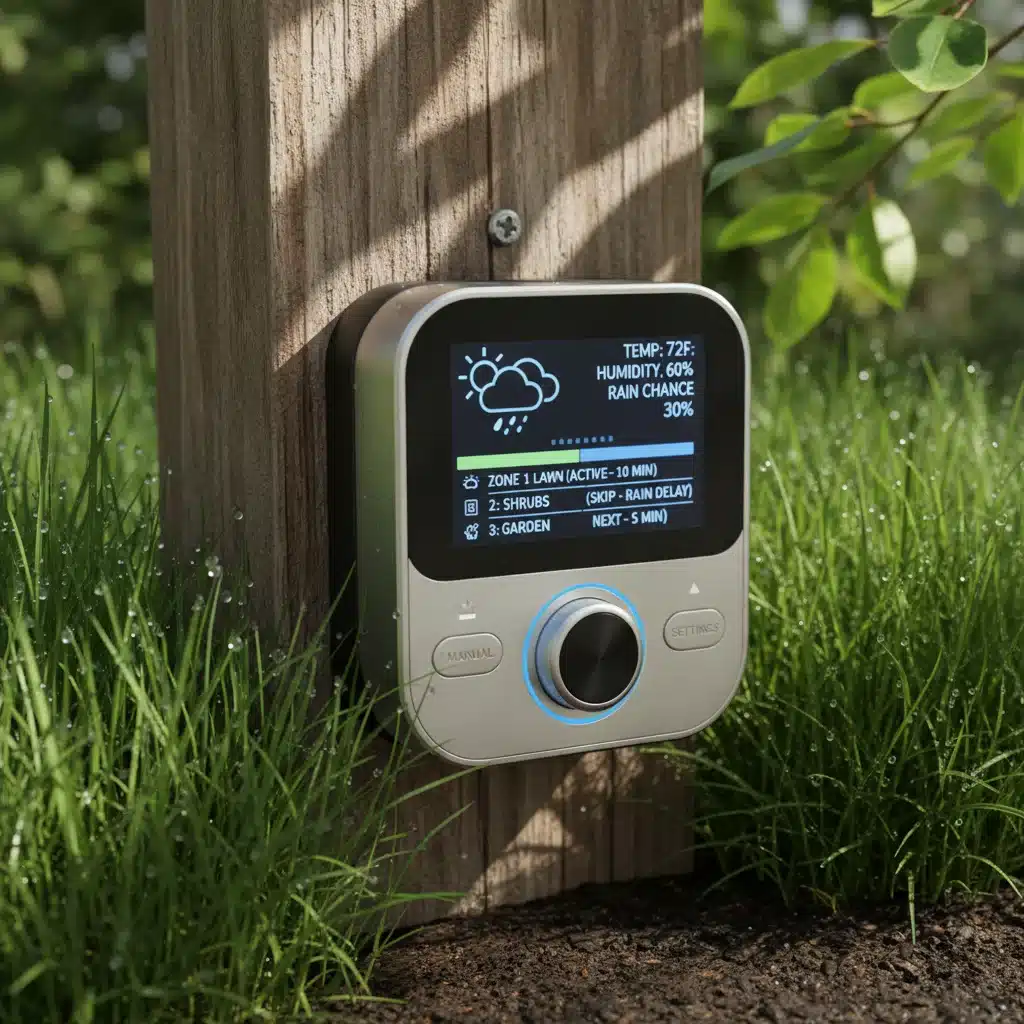
For instance, an automation could dim lights, close blinds, and start a specific playlist when your calendar indicates “movie night.” Or, your sprinklers could automatically adjust their schedule based on local weather forecasts.
The Journey to a Seamless Smart Home
Setting up a DIY Smart Home Hub in 2026 is an exciting and rewarding endeavor. By meticulously planning, understanding compatibility, fortifying your network security, and designing intuitive automations, you can avoid the common pitfalls that plague many smart home projects.
Remember, the goal is not just to have a collection of smart devices, but to create a cohesive, intelligent ecosystem that enhances your comfort, security, and efficiency. Embrace the learning curve, be patient with the process, and enjoy the incredible benefits of a truly integrated smart home.
As technology continues to advance, staying informed about new standards like Matter and emerging best practices will be crucial. Your smart home is a living system that will evolve with your needs and with technological progress. By laying a strong foundation today, you’re building a smart home that will serve you well for years to come.
Frequently Asked Questions About DIY Smart Home Hub Setup in 2026
Q1: What is the most important factor for a successful DIY Smart Home Hub setup in 2026?
A1: The most important factor is comprehensive planning and rigorous compatibility checking. Before buying any devices, map out your needs, understand communication protocols (especially Matter, Zigbee, Z-Wave, Thread), and verify that all chosen devices will seamlessly integrate with your central DIY Smart Home Hub.
Q2: How can I ensure my smart home network is secure?
A2: To ensure smart home security, use strong, unique passwords for all devices and your Wi-Fi, enable two-factor authentication, regularly update firmware, and consider setting up a separate VLAN (Virtual Local Area Network) for your IoT devices. A robust Wi-Fi network and proper router firewall configuration are also essential.
Q3: What are the benefits of using Matter-compatible devices in my 2026 smart home?
A3: Matter is a universal connectivity standard designed to unify smart home ecosystems. Using Matter-compatible devices in 2026 ensures broad compatibility across different brands and platforms, reduces vendor lock-in, simplifies integration, and future-proofs your smart home setup.
Q4: Should I prioritize local control for my Smart Home Hub?
A4: Yes, prioritizing local control is highly recommended. Hubs with strong local processing capabilities (like Home Assistant or Hubitat) allow your automations to run even without an internet connection, providing greater reliability, faster response times, and enhanced privacy by keeping your data within your home network.
Q5: How can I prevent my smart home from becoming too complicated or frustrating to use?
A5: To prevent complexity, start with simple automations and gradually expand. Design intuitive routines based on natural interactions, consider edge cases, and test thoroughly. Ensure your DIY Smart Home Hub provides a centralized control interface (app, voice assistant, physical controllers) to avoid juggling multiple apps for different devices.
Q6: Is it necessary to have a very fast internet connection for a DIY Smart Home Hub?
A6: While a fast internet connection is beneficial for cloud-dependent smart devices and remote access, the stability and coverage of your home Wi-Fi network are often more critical than raw speed. For local control-focused hubs, a stable Wi-Fi is paramount, as many automations don’t rely on external internet speeds.
Q7: Can I integrate older smart devices with a new 2026 Smart Home Hub?
A7: It depends on the communication protocols supported by both your older devices and your new DIY Smart Home Hub. If your hub supports older protocols like Zigbee or Z-Wave, integration is often possible. However, devices relying solely on proprietary cloud services or outdated protocols might be more challenging to integrate seamlessly.
Q8: What’s the difference between a smart speaker and a smart home hub?
A8: A smart speaker (like an Amazon Echo or Google Nest Mini) is primarily an interface for voice control and media playback. While some smart speakers have basic hub functionalities (e.g., Zigbee radio), a dedicated DIY Smart Home Hub is designed specifically for deep integration, automation, and centralized management of a wide array of smart devices, often supporting multiple protocols and local control for more complex setups.
Q9: How often should I back up my smart home hub’s configuration?
A9: It’s recommended to back up your smart home hub’s configuration regularly, especially after making significant changes to your automations, adding new devices, or updating firmware. Many hubs offer scheduled backups, which can be a convenient way to ensure your settings are always protected.
Q10: What are some good resources for learning more about advanced smart home automations?
A10: For advanced automations, explore online communities and forums dedicated to specific hubs (e.g., Home Assistant forums, SmartThings community, Hubitat community). YouTube channels, tech blogs, and manufacturer documentation often provide tutorials and examples for complex routines and integrations. Experimentation and continuous learning are key to mastering your DIY Smart Home Hub.