Smart Home Glitches: Quick Fixes & Troubleshooting for 2026 Systems

Troubleshooting Common Home Automation Glitches: 5 Quick Fixes for Your 2026 Smart Home System
Welcome to the future! Your 2026 smart home system, with its seamless integration and intelligent automation, promises unparalleled convenience and efficiency. Yet, even the most advanced technology isn’t immune to the occasional hiccup. From unresponsive lights to temperamental thermostats, encountering smart home glitches can quickly turn convenience into frustration. But don’t despair! Most of these issues are easily remedied with a few straightforward troubleshooting steps. This comprehensive guide will walk you through 5 quick fixes designed to resolve the most common smart home glitches, getting your connected abode back to optimal performance.
As smart home technology continues its rapid evolution, the complexity of these systems grows. While manufacturers strive for plug-and-play simplicity, the sheer number of devices, protocols, and network configurations can lead to unexpected challenges. Understanding the root causes of common smart home glitches is the first step toward effective resolution. Whether it’s a Wi-Fi dropout, a software bug, or a simple power cycle, knowing how to diagnose and fix these problems will empower you to maintain a truly smart and responsive home environment.
1. The Universal Fix: Power Cycle Your Devices and Router
It might sound overly simplistic, but the age-old IT adage "have you tried turning it off and on again?" holds surprising power, especially when dealing with smart home glitches. Many issues, from unresponsive smart bulbs to a frozen smart display, can be attributed to temporary software conflicts or memory overloads. A power cycle effectively clears the device’s temporary memory and reinitializes its software, often resolving minor bugs.
How to Power Cycle Smart Devices:
- Unplug and Replug: For individual smart devices like plugs, lamps, or speakers, simply unplug them from their power source, wait 10-15 seconds, and then plug them back in.
- Battery-Operated Devices: For devices running on batteries (e.g., some smart locks, sensors), remove the batteries, wait a few seconds, and then reinsert them.
- Hard Reset (if applicable): Some devices have a dedicated reset button. Consult your device’s manual for instructions on a soft reset versus a hard reset, as a hard reset might revert settings to factory defaults.
Don’t Forget Your Router and Hub:
Your Wi-Fi router and smart home hub are the central nervous systems of your smart home. If multiple devices are experiencing smart home glitches simultaneously, the problem likely lies with your network or hub. Power cycling these crucial components can often restore network stability and device communication.
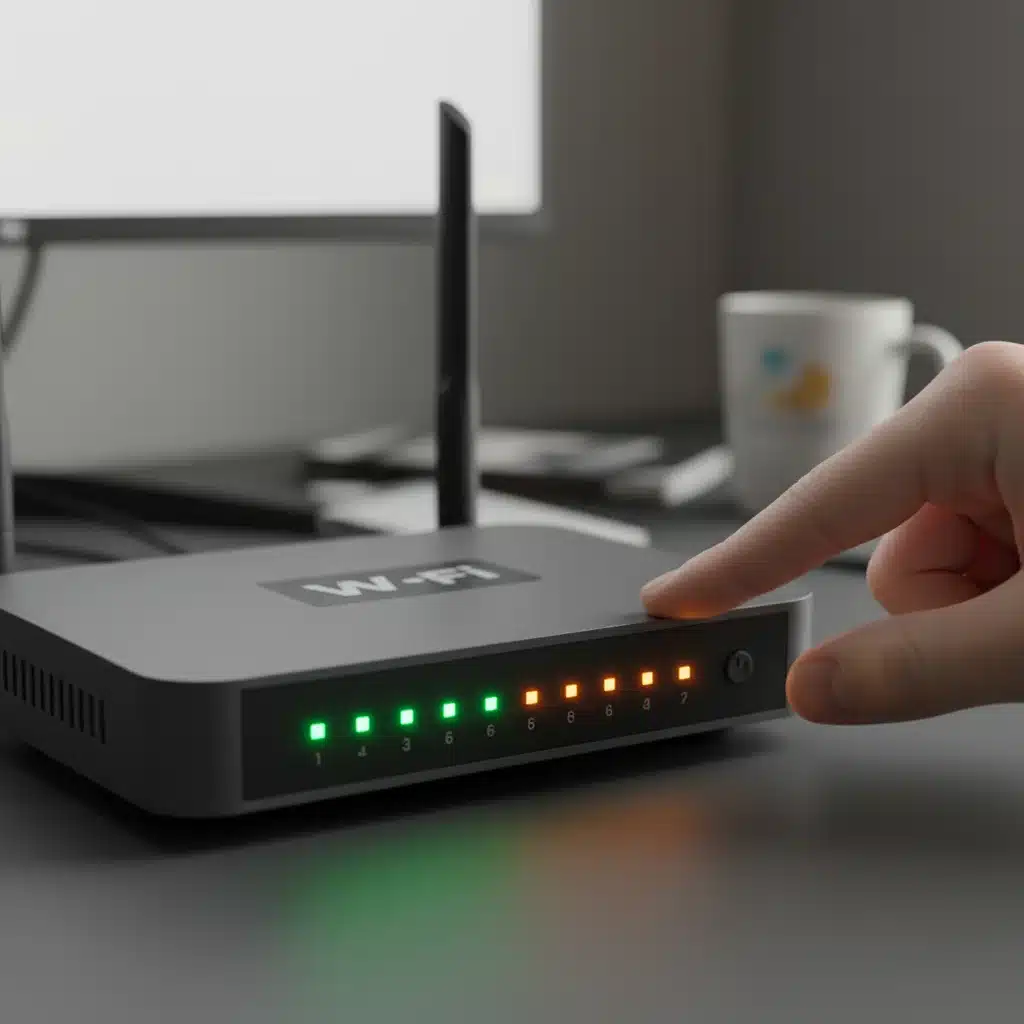
- Router Reset: Unplug your Wi-Fi router from its power outlet. Wait for at least 30 seconds (this is important to allow capacitors to fully discharge), then plug it back in. Give it a few minutes to fully boot up and re-establish internet connection before checking your smart devices.
- Smart Home Hub Reset: Similar to your router, unplug your smart home hub (e.g., SmartThings, Hubitat, Homey) and wait for 10-15 seconds before plugging it back in. Allow it time to restart and reconnect to all paired devices.
This simple step alone can resolve a surprising number of smart home glitches, from connectivity dropouts to unresponsive commands. Always start here before delving into more complex troubleshooting.
2. Check Your Network Connectivity and Wi-Fi Signal Strength
A robust and stable Wi-Fi network is the backbone of almost every modern smart home. Weak signals, overcrowded channels, or intermittent connectivity are prime culprits behind many smart home glitches. If your devices are constantly disconnecting, responding slowly, or failing to execute commands, your network is the first place to investigate after a power cycle.
Diagnosing Wi-Fi Issues:
- Signal Strength: Are your smart devices too far from your Wi-Fi router? Walls, floors, and other electronic devices can significantly degrade Wi-Fi signals. Consider relocating devices closer to the router or investing in a Wi-Fi extender or mesh network system if you have a large home. Many smart home apps provide signal strength indicators for connected devices.
- Network Congestion: Too many devices on the same Wi-Fi band (especially the 2.4GHz band, which most smart devices use) can lead to slowdowns and disconnections. Check your router’s settings to see if you can switch some devices to the 5GHz band (if they support it) or if your router offers bandwidth prioritization features.
- Interference: Other electronics like microwaves, cordless phones, and even your neighbor’s Wi-Fi can interfere with your network. Try changing your Wi-Fi channel in your router settings. Apps like Wi-Fi Analyzer can help identify less congested channels.
- Internet Outages: Sometimes, the problem isn’t your smart home but your internet service itself. Check if other internet-dependent devices (like your phone or computer) are also struggling to connect. Contact your ISP if you suspect an outage.
Optimizing Your Network for Smart Devices:
To minimize future smart home glitches related to connectivity, consider these best practices:
- Dedicated 2.4GHz Network: Many routers allow you to create a separate 2.4GHz network. This can be beneficial for smart devices, as it provides a stable connection without interference from high-bandwidth activities on the 5GHz band.
- Firmware Updates: Ensure your router’s firmware is up to date. Manufacturers frequently release updates to improve performance, security, and compatibility with new devices.
- Quality Router: If you have many smart devices, an older or low-end router might not be able to handle the load. Investing in a modern, robust router designed for smart homes can make a significant difference.
Resolving network issues is paramount for a smoothly functioning smart home. A strong, stable connection is the foundation upon which all your smart devices operate.
3. Update Firmware and Software for All Devices and Apps
Outdated firmware or software is a common, yet often overlooked, cause of smart home glitches. Manufacturers constantly release updates to fix bugs, improve performance, add new features, and enhance security. Running old versions can lead to compatibility issues, security vulnerabilities, and general unreliability.
Why Updates Matter:
- Bug Fixes: Software is complex, and bugs are inevitable. Updates often contain patches for known issues that could be causing your specific smart home glitches.
- Performance Improvements: Newer firmware can optimize device operations, leading to faster response times and more stable connections.
- Compatibility: As new smart home standards and devices emerge, updates ensure your existing devices can communicate effectively with the broader ecosystem.
- Security Enhancements: Cybersecurity threats are constantly evolving. Updates provide crucial security patches to protect your smart home from potential breaches.
How to Check for and Apply Updates:
- Device-Specific Apps: Most smart devices have their own dedicated mobile applications. Open these apps and navigate to the settings or device information section. Look for options like "Firmware Update," "Software Update," or "Check for Updates."
- Smart Home Hubs: Your central smart home hub will also have its own update schedule. Access its settings via its app or web interface to ensure it’s running the latest version.
- Router Firmware: As mentioned earlier, keeping your router’s firmware current is vital. Access your router’s administration page (usually via a web browser using its IP address) to check for and apply updates.
- Mobile Apps: Don’t forget to keep your smart home control apps updated on your smartphone or tablet. App store updates often contain critical bug fixes and performance enhancements that can impact how you interact with your devices.
Make it a habit to periodically check for updates across all your smart home components. This proactive approach can prevent many smart home glitches before they even occur.
4. Re-Pair and Reconfigure Problematic Devices
Sometimes, a device simply loses its connection or communication with the smart home hub or network. This can happen due to various reasons, including network changes, power fluctuations, or even just a random software hiccup. When a power cycle and network check don’t work, re-pairing the device is the next logical step to resolve persistent smart home glitches.
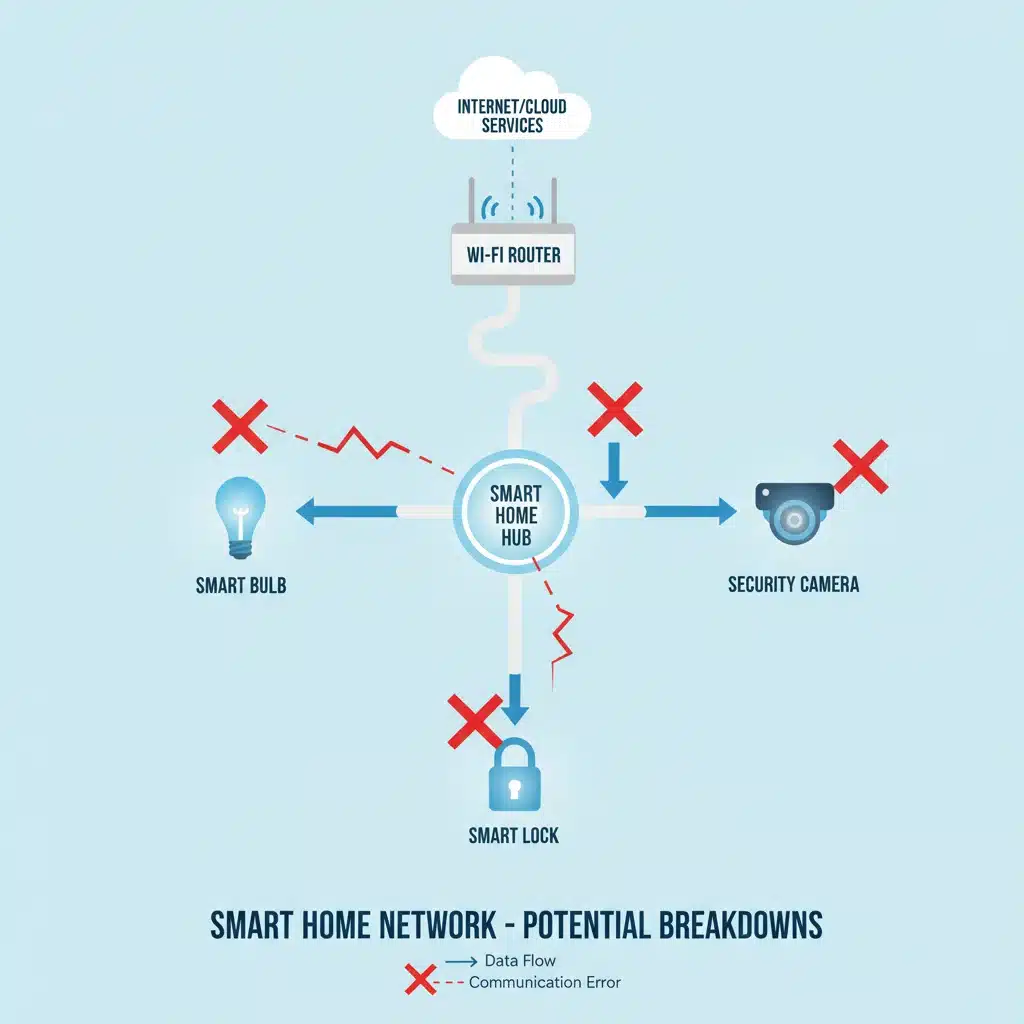
When to Re-Pair:
- Device Unresponsive: If a specific device consistently fails to respond to commands, even after a power cycle.
- "Offline" Status: If a device appears as "offline" in your smart home app despite being powered on and within network range.
- Inconsistent Behavior: If a device works intermittently or performs actions incorrectly.
Steps to Re-Pair a Device:
- Remove from App: First, go into your smart home app or hub interface and "delete" or "unpair" the problematic device. This ensures a clean slate.
- Factory Reset Device: Many smart devices have a small button or a specific sequence of actions to perform a factory reset. This clears all previous pairing information and settings. Consult your device’s manual for precise instructions.
- Initiate Pairing Mode: Once factory reset, put the device back into its "pairing" or "discovery" mode. Again, the manual will be your best friend here.
- Add Device in App: Go back to your smart home app or hub and initiate the "Add Device" or "Discover Device" process. Follow the on-screen prompts to reconnect your device.
- Rename and Reconfigure: After successful re-pairing, you may need to rename the device and reconfigure any specific settings, automations, or scenes it was part of.
Re-pairing a device can often resolve deep-seated communication issues that simple resets cannot. It forces the device to re-establish a fresh connection with your smart home ecosystem, eliminating any corrupted data or configuration errors that might be causing smart home glitches.
5. Check for Interferences and Device Placement
The physical environment of your home plays a significant role in the performance of your smart devices. Radio frequencies, which most smart devices use (Wi-Fi, Zigbee, Z-Wave, Bluetooth), can be susceptible to various forms of interference. Poor device placement can also create dead zones or hinder reliable operation, leading to frustrating smart home glitches.
Common Sources of Interference:
- Other Electronics: Microwaves, cordless phones, baby monitors, and even fluorescent lights can emit radio frequencies that interfere with your smart home network, particularly on the 2.4GHz Wi-Fi band.
- Physical Obstacles: Thick walls (especially concrete or brick), metal objects (large appliances, filing cabinets), and even large bodies of water (aquariums) can absorb or block radio signals, weakening connectivity.
- Neighboring Networks: In densely populated areas, your neighbors’ Wi-Fi networks can overcrowd channels, leading to congestion and slower performance for your own devices.
Optimizing Device Placement:
- Centralize Your Hub/Router: Position your smart home hub and Wi-Fi router in a central location within your home, ideally away from large metal objects and other interfering electronics. This maximizes signal coverage to all your devices.
- Line of Sight: For devices using Zigbee or Z-Wave, a clear line of sight to the hub or other mesh-network devices is beneficial. These technologies rely on mesh networks, where devices relay signals to each other. Ensure there are enough "repeater" devices (like smart plugs or light switches) strategically placed to extend the network’s reach.
- Avoid "Dead Zones": Identify areas in your home where Wi-Fi or other smart home signals are weak. These are potential dead zones where devices will struggle. Use Wi-Fi analyzers or your smart home app’s signal strength indicators to pinpoint these areas.
- Elevate Devices: Placing routers and hubs on higher shelves or open spaces, rather than tucked away in cabinets or on the floor, can improve signal propagation.
By being mindful of your home’s physical layout and potential sources of interference, you can significantly reduce the occurrence of smart home glitches and ensure a more reliable smart home experience. Sometimes, simply moving a smart plug a few feet can make all the difference for a struggling sensor or bulb.
Proactive Maintenance to Prevent Smart Home Glitches
While the above fixes are excellent for reactive troubleshooting, a proactive approach can significantly reduce the frequency of smart home glitches. Consider these tips for ongoing maintenance:
Regular System Audits:
Periodically review your smart home setup. Are there any devices you no longer use that are still connected? Removing unnecessary devices can free up network resources and reduce potential points of failure. Check the health status of your devices within your smart home app – many systems provide diagnostics that can alert you to potential issues before they become full-blown smart home glitches.
Battery Management:
Many smart sensors, locks, and remotes rely on batteries. Low battery levels are a common cause of unresponsive or unreliable device behavior. Set reminders to check and replace batteries regularly, especially for critical security devices. Some smart home apps will notify you when a device’s battery is running low, so pay attention to these alerts.
Network Security:
Ensure your Wi-Fi network is secured with a strong, unique password. While not directly related to functional smart home glitches, a compromised network can lead to unauthorized access and potential disruption of your smart devices. Enable WPA3 encryption if your router supports it, and consider enabling guest networks for visitors to keep your main smart home network isolated.
Documentation and User Manuals:
Keep digital or physical copies of your smart device manuals handy. They are invaluable resources for specific troubleshooting steps, factory reset instructions, and pairing procedures unique to each device. A quick reference can save a lot of time when you encounter an unfamiliar issue.
Invest in Quality:
While budget options exist, investing in reputable brands for your smart home devices often pays off in terms of reliability, software support, and longevity. Quality devices tend to have better firmware, more robust hardware, and more frequent updates, leading to fewer smart home glitches over time.
When to Seek Professional Help for Persistent Smart Home Glitches
Despite your best efforts, some smart home glitches might be beyond the scope of DIY troubleshooting. If you’ve tried all the quick fixes and your system is still misbehaving, it might be time to consider professional assistance. This is particularly true for complex installations, integrated systems, or if you suspect hardware failure.
Signs it’s Time for an Expert:
- Persistent Issues: If the same problem repeatedly occurs after you’ve applied all the fixes.
- Intermittent Problems: Glitches that appear and disappear randomly can be difficult to diagnose without specialized tools.
- System-Wide Failure: If a significant portion or your entire smart home system goes down and doesn’t recover.
- Hardware Suspicions: If you believe a device, hub, or router is physically damaged or defective.
- Complex Integrations: Issues arising from highly customized or multi-platform integrations might require expert knowledge.
Contact the manufacturer’s support line for individual devices, or if you have a professionally installed system, reach out to your installer. They have the expertise and diagnostic tools to pinpoint more intricate smart home glitches and offer advanced solutions.
Conclusion: Mastering Your Smart Home, Glitch by Glitch
The journey with smart home technology is one of continuous learning and adaptation. While smart home glitches can be a minor inconvenience, armed with these 5 quick fixes – power cycling, network optimization, regular updates, device re-pairing, and strategic placement – you are well-equipped to tackle most common issues in your 2026 smart home system. Remember, a little proactive maintenance goes a long way in ensuring your smart home remains a source of comfort and innovation, rather than frustration. By understanding the fundamentals of how your devices communicate and interact, you can confidently troubleshoot and maintain a truly intelligent living space, enjoying the full potential of your connected home for years to come.