Top Smart Plugs 2026: Affordable Home Automation Under $30
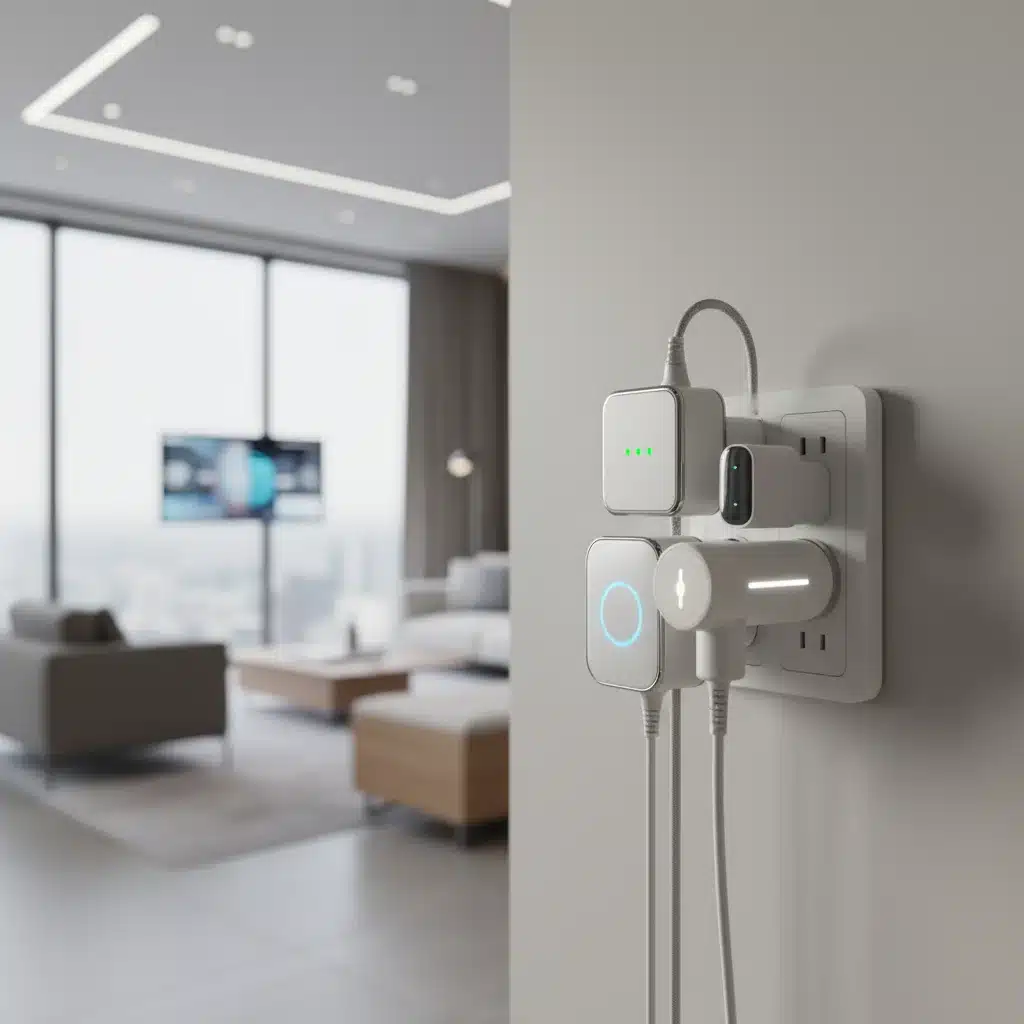
The Best Smart Plugs of 2026: Reliable Home Automation Under $30
Welcome to the future of home automation! In 2026, transforming your living space into a smart home doesn’t require a hefty investment. Thanks to rapid advancements in technology and increasing competition, finding the best smart plugs that offer reliable performance and innovative features for under $30 is not only possible but easier than ever. This comprehensive guide will dive deep into the world of affordable smart plugs, helping you navigate the options and choose the perfect devices to enhance your home’s intelligence without breaking the bank.
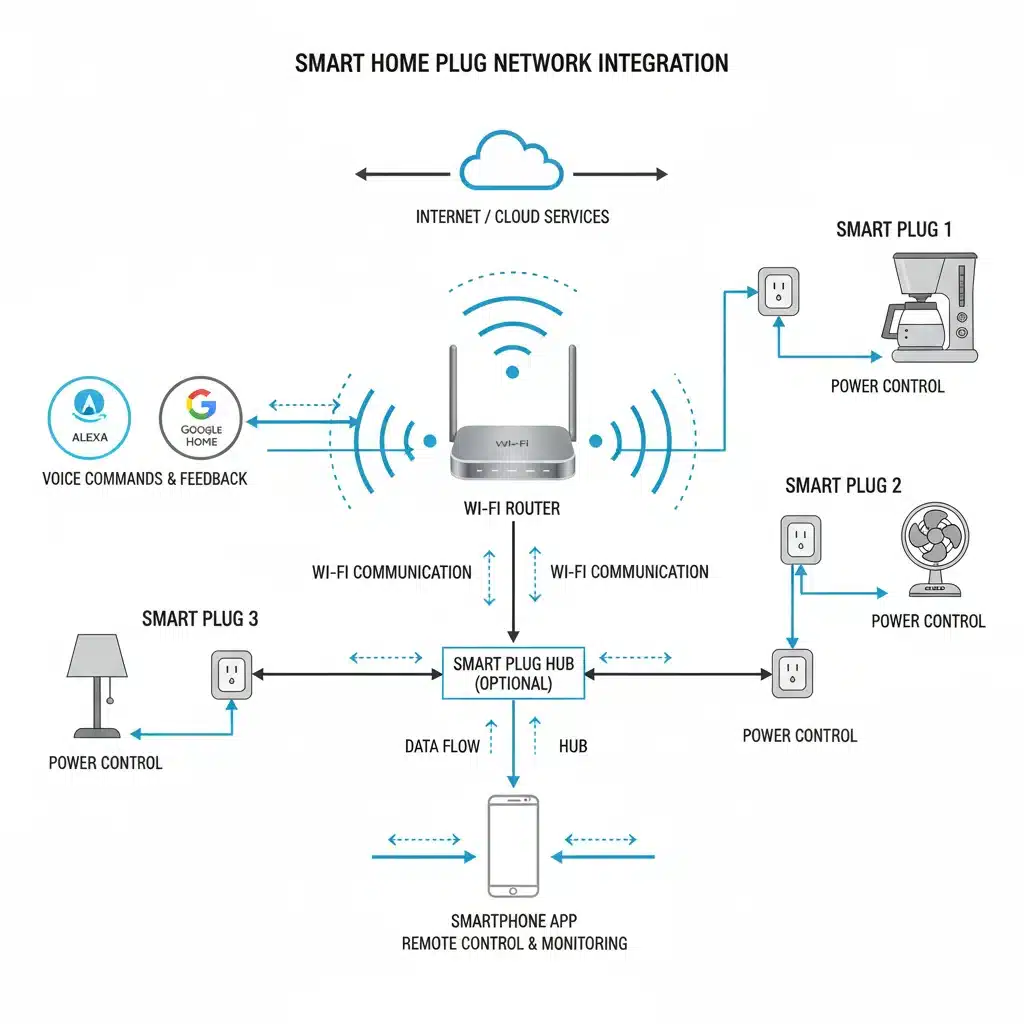
Smart plugs are the unsung heroes of the smart home ecosystem. They bridge the gap between traditional appliances and modern smart technology, allowing you to control power to any plugged-in device remotely via your smartphone or voice commands. Imagine turning off your curling iron from work, scheduling your coffee maker to brew before you wake up, or setting up ambient lighting with a simple voice command. All this and more is made possible by these compact, powerful devices. Our focus today is on the best smart plugs that deliver outstanding value, reliability, and functionality, all while staying within a budget-friendly price point of under $30.
Why Invest in Smart Plugs in 2026?
The landscape of smart home technology has evolved significantly. What was once considered a luxury is now an accessible convenience. Here’s why smart plugs are an indispensable addition to any modern home:
- Cost-Effectiveness: Smart plugs are arguably the most affordable entry point into home automation. For under $30, you can begin automating your home, testing the waters without committing to more expensive smart devices.
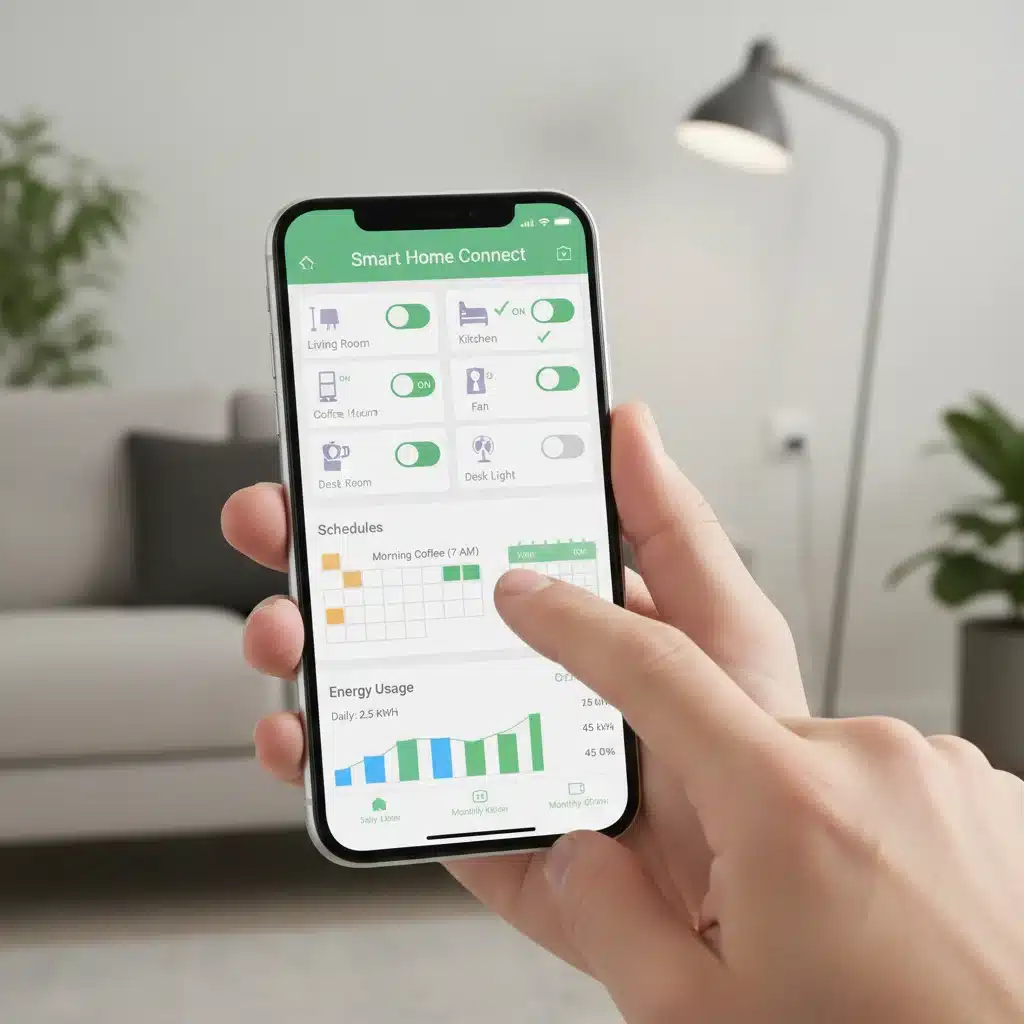
- Energy Efficiency: Many of the best smart plugs come with energy monitoring features, allowing you to track power consumption of connected appliances. This insight can help you identify energy hogs and implement schedules to reduce your electricity bill.
- Convenience and Control: Remote control is a game-changer. Whether you’re on the couch, at the office, or halfway across the world, you can manage your devices with a tap on your phone.
- Enhanced Safety and Security: Smart plugs can deter potential intruders by making your home appear occupied. Schedule lights to turn on and off at random times, or remotely activate a radio to create the illusion of presence.
- Accessibility: For individuals with mobility challenges, smart plugs offer an invaluable tool for controlling devices that might otherwise be difficult to reach.
- Integration with Smart Home Ecosystems: The best smart plugs seamlessly integrate with popular platforms like Amazon Alexa, Google Assistant, and Apple HomeKit, allowing for voice control and complex automation routines.
Key Features to Look for in the Best Smart Plugs Under $30
While the market is flooded with options, focusing on specific features will help you identify the best smart plugs that meet your needs. Here’s what to consider:
1. Compatibility and Ecosystem Integration
Ensure the smart plug works with your existing smart home ecosystem. Most modern smart plugs support Amazon Alexa and Google Assistant. If you’re an Apple user, look for HomeKit compatibility. Some brands also offer their own proprietary apps and ecosystems, which might be a good fit if you plan to stick with that brand for other smart devices.
2. Wi-Fi Connectivity and Reliability
The vast majority of smart plugs connect directly to your home’s 2.4GHz Wi-Fi network. While some advanced models might support 5GHz, 2.4GHz is generally more stable and has a longer range, which is crucial for devices spread throughout your home. Look for plugs known for stable connections and quick response times.
3. Energy Monitoring
This feature is a major plus. Smart plugs with energy monitoring allow you to see how much power a connected device is consuming in real-time or over a period. This data is incredibly useful for optimizing energy usage and saving money. While not all budget plugs offer this, many of the best smart plugs under $30 do.
4. Scheduling and Timers
Basic scheduling is a must-have. You should be able to set devices to turn on or off at specific times, on certain days, or even based on sunrise/sunset. Advanced scheduling features, like countdown timers or random vacation modes, add extra utility.
5. Compact Design and Outlet Obscurance
Consider the physical design. Some smart plugs are bulky and can block adjacent outlets. Look for compact designs that allow you to use both outlets in a standard wall plate. Mini smart plugs are particularly good for this.
6. Safety Features
Overload protection is an important safety feature, especially if you plan to connect high-power appliances. Also, ensure the plug is certified by relevant safety organizations (e.g., UL in the US).
7. Ease of Setup
The onboarding process should be straightforward. Most smart plugs offer a simple app-based setup that involves plugging in the device, opening the app, and following a few steps to connect it to your Wi-Fi.
Our Top Picks for the Best Smart Plugs Under $30 in 2026
After extensive research, testing, and considering user reviews, we’ve compiled a list of the best smart plugs that deliver exceptional performance and features while staying well within our $30 budget. These selections represent a blend of reliability, smart features, and ease of use.
1. TP-Link Kasa Smart Wi-Fi Plug Mini (KP105/EP10)
The Kasa Smart Wi-Fi Plug Mini continues to be a perennial favorite for a reason. TP-Link has consistently delivered reliable and user-friendly smart home devices, and their smart plugs are no exception. The KP105 (and its newer iteration, the EP10) is incredibly compact, ensuring it doesn’t block other outlets. It offers seamless integration with Amazon Alexa and Google Assistant, making voice control effortless.
- Pros: Extremely compact design, highly reliable Wi-Fi connection, easy setup, robust Kasa app with scheduling and Away Mode, excellent voice assistant integration.
- Cons: Lacks energy monitoring (though some slightly pricier Kasa models do include it).
- Ideal for: Anyone looking for a no-fuss, reliable smart plug for basic on/off control and scheduling, especially in tight spaces.
2. Wyze Plug
Wyze has made a name for itself by offering high-quality smart home devices at incredibly aggressive price points. The Wyze Plug is a testament to this philosophy. Often sold in multi-packs, bringing the per-plug cost well under $30, it boasts a sleek design and surprising features for its price.
- Pros: Very affordable, often sold in multi-packs, energy monitoring included, dual-outlet version available, easy setup, works with Alexa and Google Assistant, vacation mode.
- Cons: Some users report occasional connectivity hiccups (though generally stable), app can feel a bit cluttered with other Wyze devices.
- Ideal for: Budget-conscious users who want energy monitoring and are open to the Wyze ecosystem, or those needing multiple plugs.
3. Leviton Decora Smart Wi-Fi Mini Plug (DW15P-1BW)
Leviton, a long-standing name in electrical accessories, brings its expertise to the smart home market with the Decora Smart Wi-Fi Mini Plug. While sometimes hovering just above the $30 mark, it often dips below, especially during sales. It offers robust performance and a slightly more premium feel.
- Pros: Reputable brand, strong build quality, compact design, reliable Wi-Fi, works with Alexa, Google Assistant, and IFTTT.
- Cons: Can be slightly more expensive than competitors, app interface is functional but not as intuitive as Kasa for some.
- Ideal for: Users who prioritize brand reputation and solid performance for essential smart plug functions.
4. GE Cync Smart Plug (formerly C by GE)
The GE Cync Smart Plug is another strong contender, especially if you’re already invested in the Cync lighting ecosystem. It’s a straightforward, reliable smart plug that focuses on core functionality and ease of use.
- Pros: Compact, simple setup, works with Alexa and Google Assistant, includes energy monitoring.
- Cons: Requires the Cync app, which some users find less polished than competitors; reliability can vary slightly.
- Ideal for: Users already in the GE Cync ecosystem or those looking for a simple, energy-monitoring plug from a known brand.
5. Meross Smart Plug Mini (MSS110/MSS120)
Meross has gained popularity for offering feature-rich smart devices at competitive prices, and their smart plugs are no exception. The Meross Smart Plug Mini is often available for well under $30, sometimes even in multi-packs, and offers broad compatibility.
- Pros: Very affordable, often available in multi-packs, supports Alexa, Google Assistant, and Apple HomeKit (MSS120 model), energy monitoring on some models (MSS120).
- Cons: App can be a bit basic, some users report slightly slower response times compared to Kasa.
- Ideal for: Apple HomeKit users on a budget, or anyone seeking broad compatibility and energy monitoring at a low price point.
Setting Up Your Smart Plugs: A Quick Guide
Once you’ve chosen the best smart plugs for your needs, setting them up is usually a breeze. While specific steps may vary slightly by brand, the general process is as follows:
- Download the App: Install the manufacturer’s dedicated app (e.g., Kasa, Wyze, Meross) on your smartphone or tablet.
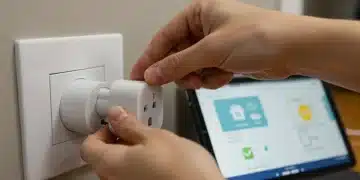
- Plug It In: Insert the smart plug into a standard wall outlet. The plug’s indicator light will usually start blinking, signaling it’s in pairing mode.
- Add Device in App: Open the app and follow the on-screen instructions to add a new device. You’ll typically select ‘Smart Plug’ from a list of device types.
- Connect to Wi-Fi: The app will guide you through connecting the smart plug to your home’s 2.4GHz Wi-Fi network. You’ll need to enter your Wi-Fi password.
- Name Your Plug: Give your smart plug a descriptive name (e.g., ‘Living Room Lamp,’ ‘Coffee Maker’) that’s easy to remember and use for voice commands.
- Integrate with Voice Assistant: If you use Alexa or Google Assistant, open their respective apps, go to the ‘Skills’ or ‘Works with Google’ section, and enable the skill for your smart plug’s brand. Your named plugs should then appear.
- Start Automating: Use the app or your voice assistant to create schedules, set timers, or turn devices on and off.
Maximizing Your Smart Plugs: Tips and Tricks
Getting the best smart plugs is just the first step. Here are some ways to get the most out of your new smart home additions:
1. Create Smart Schedules
Automate your daily routines. Have your bedroom lamp turn on gradually as an alarm clock, or your fan turn off automatically after you leave for work. Use sunrise/sunset triggers for outdoor lights or window decorations.
2. Use Voice Commands
Integrate your smart plugs with Amazon Alexa or Google Assistant for hands-free control. Simple commands like ‘Alexa, turn on the coffee maker’ or ‘Hey Google, turn off the living room fan’ make life incredibly convenient.
3. Energy Monitoring for Savings
If your smart plug has energy monitoring, use it! Track which devices consume the most power and adjust their usage or schedule them to turn off when not needed. This can lead to noticeable savings on your electricity bill.
4. Vacation Mode for Security
Many smart plugs offer an ‘Away Mode’ or ‘Vacation Mode’ that randomly turns lights on and off, making it appear as though someone is home. This is a simple yet effective security measure.
5. Group Devices
If you have multiple smart plugs in a single area, group them together in your smart home app. This allows you to control several devices with a single command, like ‘Turn off living room lights.’
6. Smart Scenes and Routines
Go beyond simple on/off. Create ‘scenes’ or ‘routines’ that trigger multiple actions. For example, a ‘Good Morning’ routine could turn on your bedside lamp, start the coffee maker, and play the news on a smart speaker, all with one command.
7. Connect "Dumb" Appliances
Smart plugs are perfect for bringing traditional appliances into the smart home. Connect lamps, fans, humidifiers, slow cookers, holiday lights, and even hair straighteners to gain remote control and scheduling capabilities.
Common Challenges and How to Overcome Them
While smart plugs are generally user-friendly, you might encounter a few common issues. Knowing how to troubleshoot can save you time and frustration.
1. Connectivity Issues
Problem: Your smart plug repeatedly disconnects or fails to connect to Wi-Fi.
Solution: Ensure your Wi-Fi router is broadcasting a 2.4GHz network (most do by default). Make sure the smart plug is within range of your router. If you have a large home, consider a Wi-Fi extender. Sometimes, simply restarting your router and the smart plug can resolve the issue.
2. Voice Assistant Doesn’t Respond
Problem: Alexa or Google Assistant isn’t recognizing your smart plug commands.
Solution: Double-check that the smart plug’s skill or service is enabled in your voice assistant’s app. Ensure the name you’re using for the plug in your voice command exactly matches the name you assigned in the smart plug’s app. Try re-syncing your devices in the voice assistant app.
3. Delayed Response Times
Problem: There’s a noticeable delay between issuing a command and the smart plug responding.
Solution: This can sometimes be due to network congestion or distance from your router. Try moving the plug closer to the router or ensuring there aren’t too many devices hogging your Wi-Fi bandwidth. A firmware update for the smart plug might also improve performance.
4. Plug Blocking Adjacent Outlets
Problem: The smart plug is too bulky and covers the second outlet in a wall plate.
Solution: This is why compact designs are so important. If you’ve already purchased one that’s too big, consider using a short surge protector or a flexible extension cord to position the smart plug without blocking other outlets. For future purchases, prioritize ‘mini’ or ‘compact’ versions of the best smart plugs.
The Future of Smart Plugs Beyond 2026
Even at affordable price points, smart plugs are constantly evolving. What can we expect beyond 2026?
- Thread and Matter Integration: While many plugs currently rely on Wi-Fi, the adoption of new smart home standards like Thread and Matter will likely become more prevalent, promising even greater interoperability, reliability, and security across different brands.
- Advanced Sensors: Imagine smart plugs with integrated temperature, humidity, or even occupancy sensors, allowing for more nuanced and intelligent automation routines.
- AI-Powered Energy Optimization: Future smart plugs might leverage AI to learn your habits and automatically optimize energy consumption, turning devices on and off based on predictive analytics rather than just fixed schedules.
- Enhanced Security Features: Expect more robust encryption and privacy controls as smart home security becomes an even bigger priority.
Conclusion: Smart Automation is Within Reach
In 2026, the dream of a smart home is more attainable and affordable than ever before, largely due to the accessibility of devices like smart plugs. Our review of the best smart plugs under $30 demonstrates that you don’t need to spend a fortune to enjoy the conveniences of home automation, energy savings, and enhanced security.
Whether you opt for the ultra-reliable TP-Link Kasa Mini, the feature-packed Wyze Plug with energy monitoring, or the HomeKit-compatible Meross, you’re making a smart investment in your home. These devices offer a straightforward path to transforming ordinary appliances into intelligent, remotely controllable assets. By considering compatibility, desired features like energy monitoring, and ease of use, you can confidently select the perfect smart plugs to kickstart or expand your smart home ecosystem. Embrace the future today, one smart plug at a time!