Mastering Matter: DIY Smart Device Integration by 2026
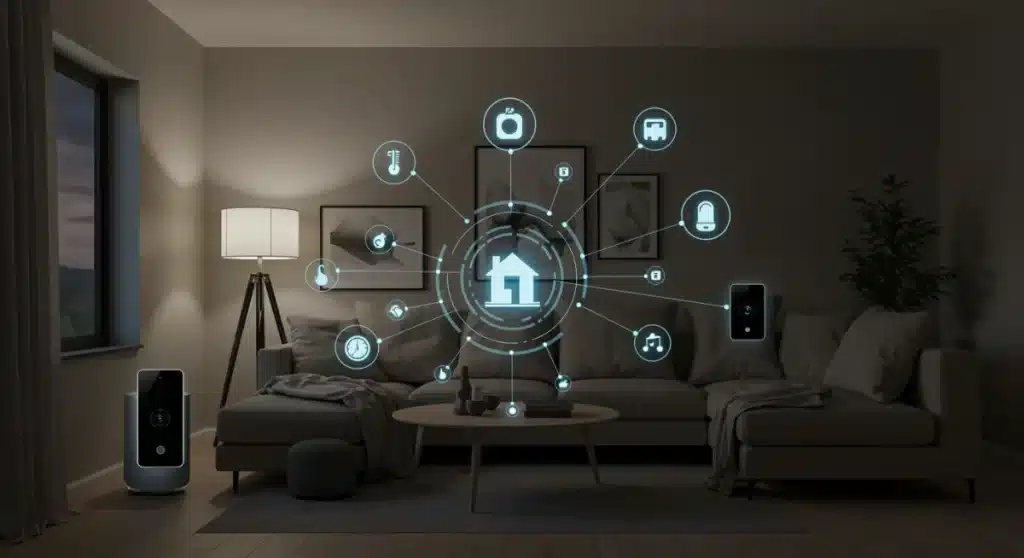
This guide outlines a clear, step-by-step process for successfully integrating five or more new smart devices utilizing the Matter standard into your existing home ecosystem by 2026, ensuring optimal performance and cross-platform compatibility.
Welcome to the future of home automation. If you’re ready to take control of your living space and embrace seamless connectivity, this guide on Mastering Matter: A Step-by-Step DIY Guide to Integrating 5+ New Smart Devices by 2026 is for you. We’ll delve into the exciting world of smart home technology, focusing on the revolutionary Matter standard, and equip you with the knowledge to effortlessly expand your smart home ecosystem.
Understanding the Matter Standard and Its Impact
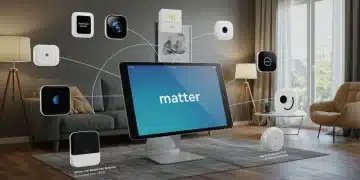
The Matter standard, launched with much anticipation, is set to redefine smart home interoperability. It acts as a universal language, enabling different smart devices from various manufacturers to communicate and work together seamlessly, eliminating the frustrating compatibility issues of the past. This unified approach simplifies setup and enhances user experience significantly.
By 2026, Matter is expected to be the dominant protocol for new smart devices, making it crucial for any homeowner looking to future-proof their smart home. Its foundation on IP-based technologies like Wi-Fi, Thread, and Ethernet ensures robust and reliable connections, providing a stable backbone for your integrated system.
The promise of true interoperability
True interoperability has long been the holy grail of smart home technology. Before Matter, consumers often found themselves locked into specific ecosystems, limiting their choices and complicating expansions. Matter changes this dynamic by offering a vendor-agnostic solution, fostering greater innovation and competition among device manufacturers.
- Unified Control: Manage all your Matter-certified devices from a single app or hub, regardless of brand.
- Enhanced Security: Matter incorporates robust security features, protecting your data and privacy.
- Simplified Setup: Devices are designed for quick and easy pairing, often with QR code scanning.
- Local Control: Many Matter devices can operate locally, reducing reliance on cloud services and improving responsiveness.
The impact of Matter extends beyond mere convenience; it empowers users to build a truly personalized smart home environment without worrying about whether a new gadget will integrate. This standardization is a game-changer for DIY enthusiasts and casual users alike, making advanced home automation more accessible than ever before.
Planning Your Smart Home Expansion
Before you dive into purchasing new gadgets, a thoughtful planning phase is essential for successful smart device integration. Consider your current needs, future aspirations, and the specific areas of your home you wish to automate. This proactive approach will save you time, money, and potential frustration down the line.
Begin by identifying the pain points or areas where smart technology can genuinely improve your daily life. Do you want to save energy, enhance security, or simply add convenience? Having clear objectives will guide your selection of devices and ensure they align with your overall smart home vision.
Assessing your current setup
Take stock of your existing smart devices and hubs. Are they Matter-compatible, or do they require an update or bridge? Many older devices can be made Matter-compatible through software updates or by connecting them to a Matter-enabled hub. This assessment helps determine what new hardware you truly need.
Think about your home’s network infrastructure. A strong, reliable Wi-Fi network is paramount for a seamless smart home experience. Consider upgrading your router or adding mesh Wi-Fi extenders if you have dead zones or anticipate a high volume of connected devices. Thread border routers, often built into Matter-enabled hubs, are also key for Thread-based devices.
- Identify desired functions: Energy monitoring, security, lighting control, climate management.
- Research device compatibility: Ensure new devices are Matter-certified and compatible with your chosen ecosystem (e.g., Apple Home, Google Home, Amazon Alexa).
- Budget allocation: Set a realistic budget for your expansion, including devices and any necessary network upgrades.
- Network evaluation: Check Wi-Fi coverage and consider Thread network expansion for low-power devices.
Effective planning ensures that your new smart devices integrate smoothly and contribute meaningfully to a more connected, efficient, and modern home environment. This foundational step is critical for a truly successful DIY smart device integration project.
Selecting Your First 5+ Matter-Certified Devices
Choosing the right devices is crucial for a successful smart home expansion. With Matter as the unifying standard, your options are broader than ever. Focus on devices that offer immediate benefits and lay the groundwork for future automation scenarios. By 2026, the market will be flooded with Matter-certified products, making selection both exciting and potentially overwhelming.
Start with devices that address common needs or offer significant convenience. Smart lighting, thermostats, and door locks are often excellent entry points due to their widespread utility and ease of integration. Look for products from reputable brands that prioritize security and ongoing software support.
Popular Matter device categories
Consider a mix of devices that enhance different aspects of your home. For example, a smart thermostat can optimize energy consumption, while smart plugs can automate everyday appliances. Security cameras and motion sensors add a layer of protection, and smart blinds can improve comfort and energy efficiency.
- Smart Lighting: Dimmable bulbs, color-changing strips, and light switches for ambiance and energy savings.
- Smart Thermostats: Optimize heating and cooling schedules, often with learning capabilities.
- Smart Plugs: Turn any traditional appliance into a smart device, enabling remote control and scheduling.
- Door Locks: Keyless entry, remote access, and integration with security systems.
- Motion Sensors: Trigger lights, alarms, or other automations based on presence.
- Security Cameras: Monitor your home, often with two-way audio and cloud storage options.
When selecting, pay attention to reviews, warranty information, and the manufacturer’s commitment to Matter updates. While Matter guarantees basic interoperability, some devices may offer enhanced features when paired within their native ecosystem, which is worth considering. The goal is to build a robust and versatile smart home that truly serves your lifestyle.
Step-by-Step Integration Process for Matter Devices
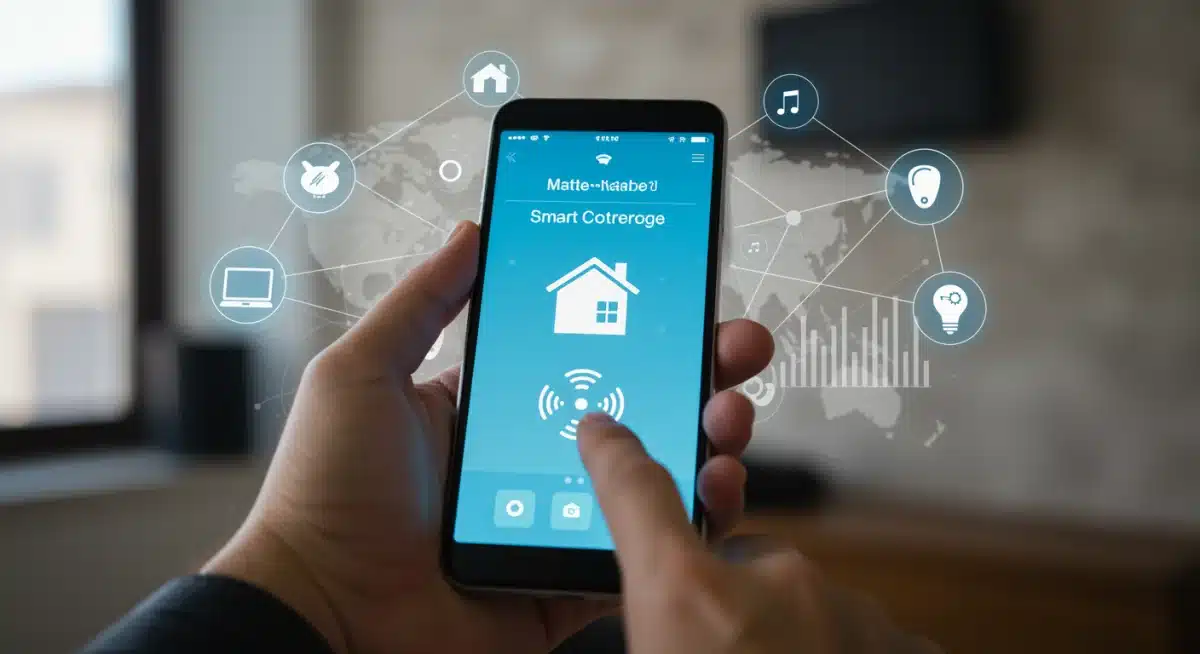
Integrating new Matter-certified devices into your smart home ecosystem is designed to be straightforward, thanks to the standardized protocol. This step-by-step guide will walk you through the typical process, ensuring a smooth and hassle-free setup. The beauty of Matter lies in its simplicity, making DIY smart device integration accessible for everyone.
Before beginning, ensure your Matter controller (e.g., a smart speaker like an Amazon Echo, Google Nest Hub, or Apple HomePod mini) is updated to support Matter. Also, confirm your new devices are indeed Matter-certified and have their setup codes readily available, usually found on the device itself or its packaging.
The pairing procedure
The core of Matter integration involves a simple pairing process, often initiated through your preferred smart home app. This typically involves scanning a QR code or entering a numerical code, which securely adds the device to your Matter network and makes it available to all compatible controllers.
Once paired, you can assign the device to a specific room, give it a recognizable name, and begin configuring its settings. The unified nature of Matter means that once a device is added, it should be discoverable and controllable by any other Matter controller in your home, offering unmatched flexibility and control.
- Power on the device: Ensure the new smart device is plugged in and powered on.
- Open your Matter controller app: Access your preferred smart home app (e.g., Google Home, Apple Home, Amazon Alexa).
- Initiate device addition: Look for an ‘add device’ or ‘+’ icon within the app.
- Scan QR code/enter code: Follow the on-screen prompts to scan the Matter QR code or manually enter the setup code.
- Assign location and name: Give your device a descriptive name and assign it to a room for easy management.
- Test functionality: Verify that the device responds correctly to commands within the app.
This streamlined process is a significant improvement over previous fragmented systems, allowing you to quickly expand your smart home without complex configurations. The focus on user-friendliness makes DIY smart device integration a truly rewarding experience.
Creating Smart Automations and Routines
Once your new Matter-certified devices are integrated, the real magic begins: creating smart automations and routines. This is where your smart home truly becomes intelligent, responding to your habits and preferences without constant manual input. Automations elevate convenience, enhance security, and contribute significantly to energy efficiency.
Start by thinking about your daily schedule and identifying repetitive tasks that can be automated. For instance, imagine your lights turning on as you arrive home, or your thermostat adjusting to your preferred temperature before you wake up. These small efficiencies add up to a much more comfortable and responsive living environment.
Leveraging Matter for advanced scenarios
Matter’s interoperability allows for more complex and robust automation scenarios. You can combine devices from different manufacturers to work in concert, something that was often challenging before. For example, a motion sensor from one brand could trigger lights from another, all managed through your chosen Matter controller.
Most smart home apps provide intuitive interfaces for setting up routines. You can define triggers (e.g., time of day, sensor activation, voice command) and actions (e.g., turn on lights, adjust thermostat, lock doors). Experiment with different combinations to find what works best for your lifestyle.
- Morning routine: Lights gradually brighten, thermostat adjusts, smart coffee maker starts.
- Away mode: Lights turn off, doors lock, security cameras activate when you leave.
- Evening ambiance: Dim lights, close smart blinds, play relaxing music.
- Energy saving: Turn off lights and adjust thermostat when no presence is detected.
By thoughtfully designing your automations, you can transform your home into a truly responsive and efficient space. The power to customize these interactions is a core benefit of a well-integrated Matter smart home, making your everyday life simpler and more enjoyable.
Troubleshooting and Maintenance Tips for Your Smart Home
Even with the robust Matter standard, occasional troubleshooting and routine maintenance are essential to keep your smart home running smoothly. Proactive care ensures optimal performance, extends the lifespan of your devices, and prevents minor issues from escalating. A well-maintained smart home is a reliable smart home.
Regularly check for software updates for your Matter controller and individual devices. Manufacturers frequently release updates that improve performance, add new features, and patch security vulnerabilities. Staying current is key to a secure and efficient smart home ecosystem.
Common issues and quick fixes
Connectivity issues are among the most common problems in any smart home. If a device stops responding, start by checking its power source and your Wi-Fi network. A simple reboot of the device, your router, or even your Matter controller can often resolve temporary glitches. Ensure your Wi-Fi signal is strong where devices are located.
If a device consistently drops offline, consider its placement relative to your Wi-Fi router or Thread border router. Obstacles like thick walls or large appliances can interfere with signals. Adding a mesh Wi-Fi extender or a dedicated Thread border router can significantly improve network stability and coverage for your smart devices.
- Device unresponsive: Check power, Wi-Fi, and reboot the device.
- Network congestion: Consider a Wi-Fi analyzer app to identify and resolve channel conflicts.
- Firmware updates: Regularly check for and install updates for all devices and controllers.
- Battery replacement: For battery-powered sensors and locks, replace batteries proactively based on manufacturer recommendations.
- Security review:Periodically check your smart home app’s security settings and connected accounts.
Maintaining a healthy smart home involves a bit of vigilance, but the benefits of a seamlessly operating system far outweigh the effort. By following these troubleshooting and maintenance tips, you can ensure your DIY smart device integration continues to provide convenience and efficiency for years to come.
Future-Proofing Your Smart Home Beyond 2026
As technology evolves rapidly, future-proofing your smart home involves strategic choices and an understanding of emerging trends. With Matter firmly established by 2026, the focus shifts to leveraging its potential and adapting to new innovations. Staying informed about advancements will ensure your home remains cutting-edge and responsive to future needs.
Consider the modularity of your smart home setup. Matter’s strength lies in its ability to integrate diverse devices, so choose products that offer flexibility and aren’t tied to proprietary ecosystems. This approach allows you to easily swap out or upgrade components without overhauling your entire system.
Embracing AI and advanced analytics
Beyond 2026, artificial intelligence (AI) will play an even more significant role in smart home automation. AI-powered algorithms will refine routines, predict your needs, and proactively manage energy consumption with greater precision. Look for devices and platforms that offer robust AI integration and machine learning capabilities.
Data privacy and security will remain paramount. As more aspects of our lives become digitized, choosing devices and services from companies with strong privacy policies is crucial. Regularly review the data permissions of your smart home apps and devices to maintain control over your personal information.
- Invest in open standards: Prioritize Matter-certified devices and avoid vendor lock-in.
- Monitor emerging technologies: Keep an eye on advancements in AI, sustainable tech, and new sensor types.
- Prioritize security: Choose devices with strong encryption and regular security updates.
- Consider energy efficiency: Opt for devices that provide detailed energy usage data and automation capabilities.
- Scalability: Ensure your network infrastructure and chosen hub can handle future device additions.
By strategically planning for growth and embracing open standards like Matter, your smart home will not only meet your current needs but also gracefully evolve with the technological landscape beyond 2026. This forward-thinking approach ensures lasting value and a truly intelligent living space.
| Key Point | Brief Description |
|---|---|
| Matter Standard | A universal protocol enabling seamless communication between diverse smart devices, simplifying integration. |
| Planning & Selection | Assess needs, budget, and network before choosing Matter-certified devices for optimal integration. |
| Integration Steps | Follow simple pairing via QR code/setup code with your Matter controller for quick setup. |
| Automations & Future-Proofing | Create smart routines and choose open, scalable solutions for a responsive and evolving smart home. |
Frequently Asked Questions About Smart Device Integration
Matter is a new universal connectivity standard for smart home devices, designed to ensure interoperability across different brands and ecosystems. By 2026, it will be crucial because it eliminates compatibility issues, making it easier to integrate new devices and manage your smart home from a single platform, simplifying setup and enhancing security.
Yes, you will need a Matter controller, which can be a smart speaker like an Amazon Echo, Google Nest Hub, or Apple HomePod Mini, or a dedicated smart home hub. This controller acts as the central point for your Matter network, allowing you to add, manage, and control all your Matter-certified devices seamlessly.
It depends on your existing devices. Some older devices may receive software updates to become Matter-compatible. Others might require a Matter-enabled bridge or hub to connect to the new standard. It’s best to check with the manufacturer of your current devices for specific compatibility information and update paths.
DIY integration offers cost savings, immediate gratification, and a deeper understanding of your home’s technology. With Matter’s simplified setup, it’s more accessible than ever. You gain full control over device selection and placement, allowing for personalized customization without relying on external schedules or expensive services.
Ensure your Matter controller and devices are always updated with the latest firmware. Use strong, unique passwords for your Wi-Fi network and smart home accounts. Regularly review device permissions within your smart home app, and choose products from manufacturers known for their commitment to data privacy and robust security features.
Conclusion
Mastering Matter: A Step-by-Step DIY Guide to Integrating 5+ New Smart Devices by 2026 empowers you to build a truly intelligent and connected home. The Matter standard ushers in an era of unprecedented interoperability, making the process of expanding your smart home ecosystem more accessible and rewarding than ever before. By carefully planning your integration, selecting Matter-certified devices, and embracing smart automations, you can create a living space that is not only convenient and efficient but also adaptable to future technological advancements. Your journey towards a smarter, more responsive home is well within reach.