
Optimizing Network Performance: Ensuring Your Smart Home Devices Communicate Without Delay in 2026
In the rapidly evolving landscape of smart home technology, the year 2026 marks a pivotal moment. Our homes are no longer just places of residence; they are sophisticated ecosystems of interconnected devices, each contributing to our comfort, security, and efficiency. From intelligent thermostats and automated lighting to advanced security systems and robotic assistants, the sheer volume and diversity of smart devices demand a robust and reliable network infrastructure. However, the promise of a truly seamless smart home experience hinges entirely on one critical factor: optimizing network performance. Without it, even the most cutting-edge gadgets can become sources of frustration, plagued by lag, dropped connections, and unresponsive commands.
This comprehensive guide delves into the intricacies of smart home network optimization in 2026, offering actionable strategies and insights to ensure your devices communicate without delay. We’ll explore the latest technological advancements, best practices for network configuration, and essential cybersecurity measures to future-proof your connected living. Get ready to transform your smart home from a collection of gadgets into a cohesive, high-performing digital sanctuary.
The Evolving Smart Home Landscape: Why Network Performance Matters More Than Ever
The smart home of 2026 is vastly different from its predecessors. We’ve moved beyond simple remote control to sophisticated automation, artificial intelligence integration, and predictive capabilities. Consider a typical day: your smart blinds adjust to the sunrise, your coffee machine starts brewing as your alarm rings, your smart thermostat learns your preferences, and your security cameras monitor your property with advanced analytics. Each of these actions, and countless others, relies on constant, efficient communication between devices and your central network.
The sheer number of connected devices per household has skyrocketed. Where once a few smart bulbs sufficed, now entire homes are outfitted with dozens, if not hundreds, of IoT (Internet of Things) devices. This exponential growth puts immense strain on traditional home networks. Moreover, the nature of data being transmitted has become more demanding. High-definition video streams from security cameras, real-time sensor data, and complex AI computations require not just bandwidth, but also low latency and unwavering stability. A hiccup in your network can mean a delayed security alert, a stuttering video call, or a smart light that refuses to respond, disrupting the very convenience smart homes promise.
Therefore, understanding and actively managing your smart home network performance is no longer a luxury but a necessity. It’s about ensuring responsiveness, reliability, and ultimately, the seamless integration that makes smart living truly smart.
Understanding Your Smart Home Network: The Foundation of Optimization
Before you can optimize, you must understand the components of your smart home network. At its core, your network consists of several key elements:
- Internet Service Provider (ISP): The gateway to the outside world, providing the raw bandwidth.
- Modem: Translates signals from your ISP into a format your router can understand.
- Router: The brain of your home network, directing traffic between your devices and the internet.
- Wireless Access Points (WAPs) / Mesh Nodes: Extend Wi-Fi coverage throughout your home.
- Smart Devices: The endpoints, communicating via Wi-Fi, Zigbee, Z-Wave, Bluetooth, or other protocols.
Each of these components plays a crucial role in overall network performance. A weak link in this chain can bottleneck your entire system. For instance, an outdated modem might not be able to handle the speeds offered by your ISP, or a poorly placed router could leave significant areas of your home with weak Wi-Fi signals.
In 2026, the complexity often increases with multiple hubs for different protocols (e.g., a Philips Hue Bridge for Zigbee lights, a Samsung SmartThings Hub for Z-Wave devices). While these hubs offload some traffic from your primary Wi-Fi, they still rely on a stable internet connection for remote access and cloud-based functionalities. A holistic view of your network, encompassing all these elements, is the first step towards effective smart home network optimization.
Embracing Next-Generation Wi-Fi: The Power of Wi-Fi 7 (802.11be)
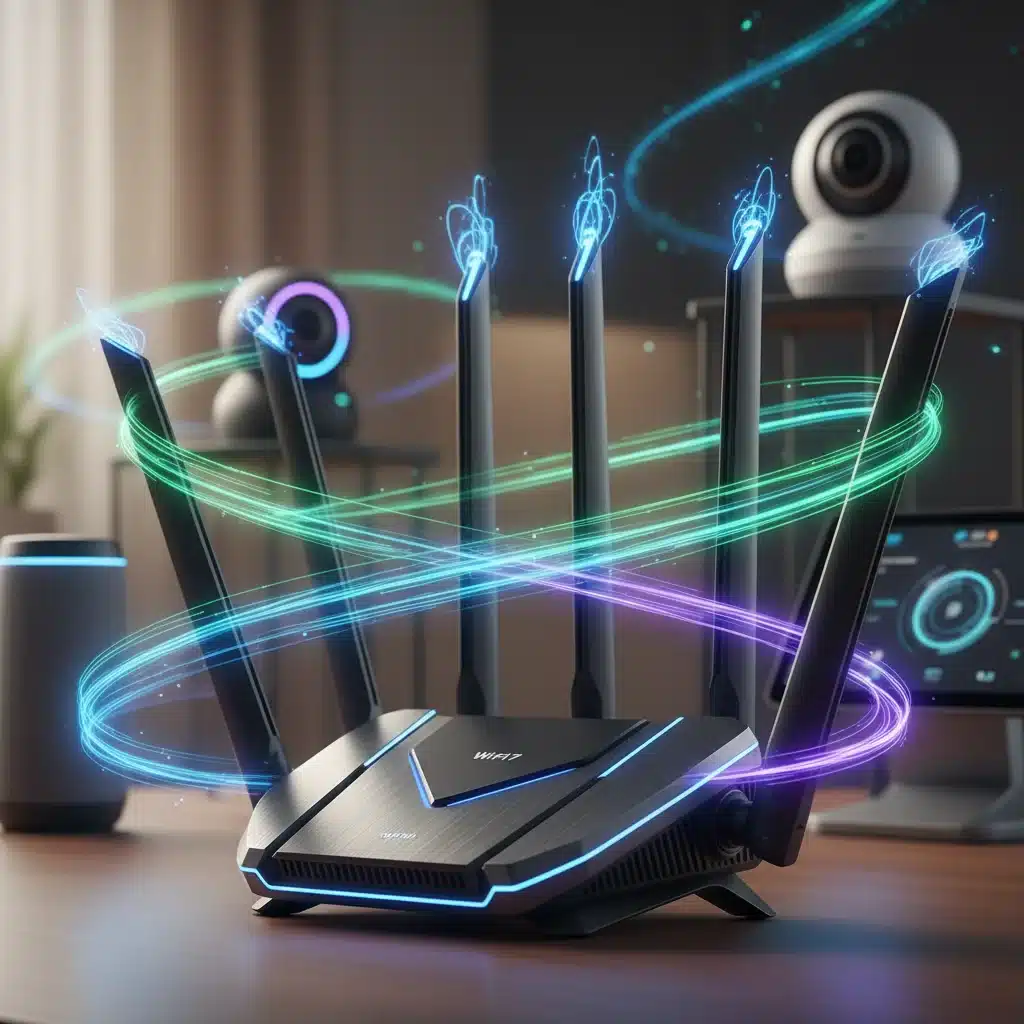
One of the most significant advancements impacting smart home network performance in 2026 is the widespread adoption of Wi-Fi 7, also known as 802.11be or Extremely High Throughput (EHT). Building upon Wi-Fi 6E, Wi-Fi 7 brings unprecedented speeds, lower latency, and increased capacity, making it ideal for the demanding smart home environments of today and tomorrow.
Key Features of Wi-Fi 7 for Smart Homes:
- Multi-Link Operation (MLO): This revolutionary feature allows devices to transmit and receive data simultaneously across different frequency bands (2.4 GHz, 5 GHz, and 6 GHz). This means improved reliability, reduced latency, and higher aggregate speeds, crucial for real-time applications like 8K video streaming and VR/AR experiences within your smart home.
- Wider Channels (Up to 320 MHz): Wi-Fi 7 doubles the channel width in the 6 GHz band compared to Wi-Fi 6E, allowing for massive data throughput. This is particularly beneficial for bandwidth-hungry devices and ensures ample capacity even with numerous concurrent connections.
- 4096-QAM Modulation: This higher-order modulation scheme packs more data into each signal, further boosting theoretical speeds. While primarily benefiting devices in close proximity to the router, it contributes to overall network efficiency.
- Enhanced OFDMA and MU-MIMO: Wi-Fi 7 refines these existing technologies, allowing the router to communicate with even more devices simultaneously and more efficiently manage network traffic, preventing congestion in device-dense homes.
Upgrading to a Wi-Fi 7 compatible router and ensuring your newer smart devices also support Wi-Fi 7 will be a game-changer for your smart home network performance. It provides the necessary headroom for future growth and ensures your devices operate at their peak.
Strategic Placement and Coverage: Optimizing Your Wi-Fi Signal
Even with the most advanced Wi-Fi 7 router, poor placement can cripple your network performance. Think of your router as the heart of your smart home; it needs to be centrally located to efficiently pump data to all corners of your residence.
Best Practices for Router Placement:
- Central Location: Avoid placing your router in a corner, basement, or closet. The more central its location, the better the signal distribution.
- Elevated Position: Place your router on a high shelf or desk, not on the floor. Wi-Fi signals tend to spread downwards.
- Away from Obstructions: Walls (especially thick ones), large metal objects, and appliances that emit electromagnetic interference (like microwaves, cordless phones, and even some refrigerators) can degrade Wi-Fi signals.
- Antenna Orientation: If your router has adjustable antennas, experiment with their orientation. Often, one vertical and one horizontal antenna can provide better coverage.
Addressing Coverage Gaps with Mesh Wi-Fi Systems:
For larger homes or those with multiple floors and thick walls, a single router, even a powerful Wi-Fi 7 one, might not provide adequate coverage. This is where Mesh Wi-Fi systems shine. A Mesh Wi-Fi system consists of a main router and several satellite nodes that work together to create a single, unified network throughout your home. This eliminates dead zones and ensures consistent, strong signals for all your smart devices.
In 2026, Mesh Wi-Fi systems are becoming increasingly sophisticated, often incorporating AI to intelligently route traffic and optimize node placement. When selecting a mesh system, look for Wi-Fi 7 compatibility to fully leverage its benefits for your smart home network.
Network Segmentation and Prioritization: Intelligent Traffic Management
With an ever-increasing number of devices vying for network resources, intelligent traffic management is paramount for optimal smart home network performance. This involves two key strategies: network segmentation and Quality of Service (QoS).
Network Segmentation (VLANs):
Creating Virtual Local Area Networks (VLANs) allows you to logically separate different types of devices on your network. For a smart home, this is incredibly beneficial:
- IoT Network: Dedicate a separate VLAN for your smart home devices (lights, sensors, cameras). This isolates them from your primary personal devices (laptops, phones) and guest networks.
- Guest Network: Always provide a separate guest network for visitors. This prevents them from accessing your private devices and data.
- High-Bandwidth Devices: You might create a separate VLAN for devices that require stable, high-bandwidth connections, such as gaming consoles or media servers.
Network segmentation not only improves performance by reducing congestion on your main network but also significantly enhances security. If an IoT device is compromised, the attacker is contained within that specific VLAN and cannot easily access your more sensitive personal data.
Quality of Service (QoS):
QoS settings on your router allow you to prioritize certain types of network traffic or specific devices. For example, you can give higher priority to:
- Voice and Video Calls: To prevent choppy audio or pixelated video during important meetings.
- Security Cameras: Ensuring their video streams are always clear and real-time.
- Streaming Devices: To avoid buffering during movie nights.
By intelligently allocating bandwidth, QoS ensures that critical smart home functions and your most important activities always receive the resources they need, even when the network is busy.
Wired Connections: The Unsung Heroes of Stability
While wireless technology has made incredible strides, wired Ethernet connections remain the gold standard for speed, stability, and security. For stationary smart home devices that require high bandwidth or absolute reliability, a wired connection is often the superior choice.
Devices to Consider Wiring:
- Smart Home Hubs: Central hubs for Zigbee, Z-Wave, or Matter often benefit from a direct Ethernet connection to your router for maximum stability.
- High-Resolution Security Cameras (NVR/DVR): Wired cameras eliminate Wi-Fi interference and provide a consistent stream, especially crucial for continuous recording.
- Smart TVs and Media Streamers: For 4K/8K streaming, a wired connection prevents buffering and ensures the best possible picture quality.
- Network Attached Storage (NAS): If you have a NAS for media or backups, a wired connection is essential for fast data transfer.
Powerline adapters can be a viable alternative if running Ethernet cables isn’t feasible. These devices use your home’s electrical wiring to transmit network data, providing a more stable connection than Wi-Fi in certain scenarios.
Firmware Updates and Device Management: Staying Current
The digital world is constantly evolving, and so too should your network equipment and smart devices. Regularly updating firmware is not just about new features; it’s crucial for smart home network optimization and security.
Importance of Firmware Updates:
- Performance Improvements: Manufacturers often release updates that enhance Wi-Fi stability, speed, and efficiency.
- Bug Fixes: Updates address vulnerabilities and bugs that could lead to poor performance or security risks.
- New Features: Firmware updates can introduce support for new protocols or features that improve device interoperability.
Make it a habit to check for firmware updates for your router, mesh system, and smart home hubs. Many modern devices offer automatic updates, but it’s always good to verify.
Regular Device Audit:
Periodically review your connected devices. Are there old smart gadgets you no longer use that are still connected to your network? Disconnecting or removing them can free up bandwidth and reduce potential points of vulnerability.
Cybersecurity in 2026: Protecting Your Optimized Smart Home Network
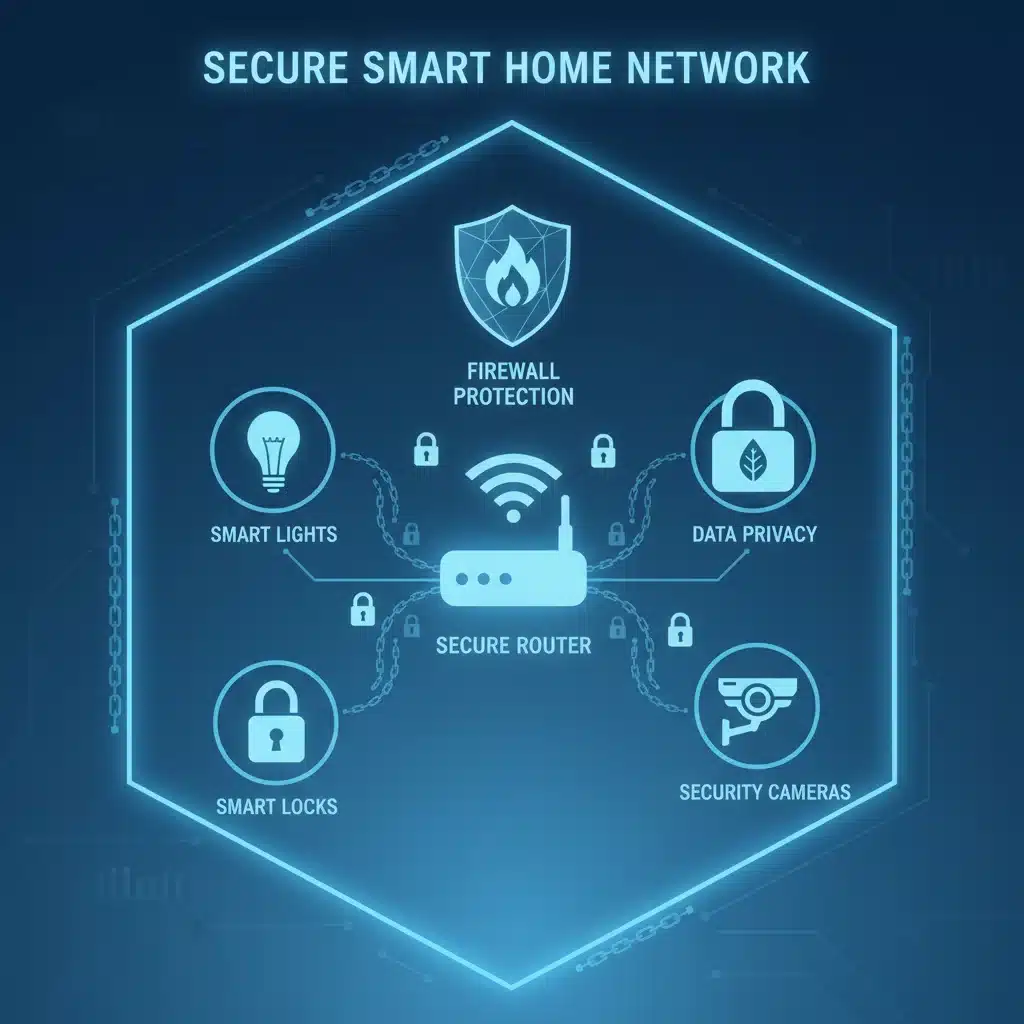
An optimized network is only as good as its security. As smart homes become more sophisticated, they also become more attractive targets for cyber threats. In 2026, robust cybersecurity measures are an integral part of smart home network optimization.
Essential Cybersecurity Practices:
- Strong, Unique Passwords: Change default passwords on all devices and use complex, unique passwords for your Wi-Fi and smart home accounts. Consider a password manager.
- Two-Factor Authentication (2FA): Enable 2FA wherever possible, especially for smart home apps and cloud services.
- Network Segmentation (Revisited): As mentioned earlier, isolating IoT devices on a separate VLAN significantly limits the blast radius of a potential breach.
- Firewall Protection: Ensure your router’s firewall is enabled and properly configured. Consider a dedicated network firewall for advanced protection.
- Regular Software Updates: Keep all smart devices, apps, and your router’s firmware updated to patch known vulnerabilities.
- Privacy Settings Review: Regularly review the privacy settings of your smart devices and associated apps. Understand what data they collect and how it’s used.
- Secure DNS: Consider using a secure DNS service (like Cloudflare’s 1.1.1.1 or Google Public DNS) to enhance privacy and potentially block malicious sites.
- VPN for Remote Access: If you frequently access your smart home remotely, consider using a Virtual Private Network (VPN) for an encrypted connection.
Investing in a network-level security solution that can scan for vulnerabilities, detect unusual traffic patterns, and block threats at the router level can provide an additional layer of defense for your entire smart home ecosystem.
Monitoring and Troubleshooting: Maintaining Peak Performance
Even with the best setup, networks can encounter issues. Proactive monitoring and effective troubleshooting are key to maintaining peak smart home network performance.
Tools for Monitoring:
- Router Admin Interface: Your router’s web interface provides valuable information about connected devices, bandwidth usage, and signal strength.
- Network Analyzer Apps: Mobile apps can help you visualize Wi-Fi coverage, identify dead zones, and detect channel interference.
- Smart Home Dashboards: Many smart home platforms offer dashboards that show the connection status of your devices.
Common Troubleshooting Steps:
- Reboot Your Router/Modem: The classic IT solution, often effective for resolving temporary glitches.
- Check for Interference: Use a Wi-Fi analyzer app to identify crowded Wi-Fi channels and switch to a less congested one.
- Verify Device Placement: Ensure devices are within range and not blocked by obstructions.
- Check for Firmware Updates: As mentioned, outdated firmware can cause performance issues.
- Test Internet Speed: Use online speed tests to ensure your ISP is delivering the promised bandwidth.
- Isolate the Problem: If only one device is having issues, the problem might be with the device itself, not the network.
Regularly reviewing logs and alerts from your router or smart home hub can also help you catch potential issues before they escalate.
The Future of Smart Home Connectivity: Beyond 2026
While we’ve focused on 2026, the evolution of smart home connectivity doesn’t stop here. Looking ahead, we can anticipate further advancements that will continue to redefine smart home network optimization:
- Matter Protocol Dominance: The Matter standard is poised to become the universal language for smart home devices, simplifying setup and improving interoperability, which will indirectly contribute to network efficiency by reducing the need for multiple hubs and proprietary ecosystems.
- AI-Powered Network Management: Routers and mesh systems will increasingly leverage AI to autonomously optimize network traffic, predict potential issues, and adapt to changing usage patterns without manual intervention.
- 6G and Beyond: As cellular technology evolves, 6G and future generations will likely play a more integrated role in smart home connectivity, offering ultra-low latency and massive device capacity, especially for devices outside the traditional home network.
- Quantum-Resistant Cryptography: With the rise of quantum computing, new cryptographic standards will emerge to secure smart home data against future threats, becoming a standard feature in network hardware.
Staying informed about these emerging technologies will be crucial for maintaining a future-proof and high-performing smart home.
Conclusion: A Seamlessly Connected Smart Home Awaits
Optimizing network performance for your smart home devices in 2026 is a multi-faceted endeavor that requires a combination of advanced hardware, strategic configuration, and vigilant maintenance. By embracing technologies like Wi-Fi 7, implementing robust mesh systems, segmenting your network, prioritizing critical traffic, and fortifying your cybersecurity defenses, you can ensure that your smart home operates with unparalleled responsiveness and reliability.
The goal is not just to connect devices, but to create a harmonious ecosystem where every command is instantaneous, every stream is flawless, and every automated action occurs precisely as intended. A truly optimized smart home network transforms the promise of connected living into a tangible, delightful reality, allowing you to fully enjoy the convenience, comfort, and peace of mind that modern smart technology offers. Take these steps today, and build the foundation for a smart home experience that truly communicates without delay.