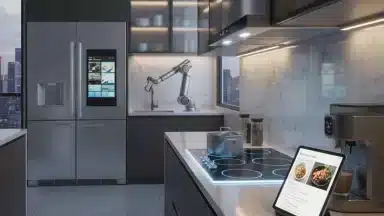

Voice Control Mastery: 5 Advanced Alexa and Google Assistant Commands for Seamless Home Automation in 2026
Welcome to the future of smart living! As we step into 2026, the landscape of home automation has evolved beyond simple light switches and basic music playback. Today, advanced voice commands are transforming how we interact with our homes, making daily routines more efficient, convenient, and truly intelligent. If you’ve been using Alexa or Google Assistant for a while, you know the basics. But are you truly harnessing their full potential? This article will guide you through five groundbreaking advanced voice commands that will elevate your smart home experience to an unprecedented level.
The journey into advanced voice commands isn’t just about controlling more devices; it’s about creating a harmonious ecosystem where your home anticipates your needs and responds intuitively. We’re talking about sophisticated routines, contextual understanding, and proactive assistance that makes your life genuinely easier. Forget about fumbling with apps or remembering complex sequences. With the right advanced voice commands, your smart home becomes an extension of your will, responding to natural language and intricate requests. Let’s dive deep into how you can achieve true voice control mastery.
The Evolution of Voice Control: Beyond the Basics
In the early days, voice assistants were impressive for their novelty. "Alexa, turn on the lights" or "Hey Google, what’s the weather?" were revolutionary. Fast forward to 2026, and these commands are just the tip of the iceberg. Modern voice AI, fueled by advancements in natural language processing and machine learning, can understand complex multi-step requests, infer intent, and even learn from your habits. This means your smart home is not just executing commands; it’s learning and adapting to your lifestyle. The power of advanced voice commands lies in their ability to orchestrate multiple actions across various devices with a single, intuitive spoken phrase. This level of integration and intelligence is what truly defines a smart home in 2026, moving it from a collection of gadgets to a truly integrated, responsive environment.
Understanding the nuances of advanced voice commands is crucial for unlocking this potential. It’s about moving from explicit, one-off instructions to implicit, routine-driven interactions. Imagine a home that knows when you’re waking up, adjusts the temperature, brews your coffee, and plays your morning news, all triggered by a simple "Good morning" command. This isn’t science fiction; it’s the reality of what advanced voice commands can achieve today. The key is to leverage the robust capabilities of platforms like Alexa and Google Assistant, which have significantly enhanced their routine and contextual understanding features over the past few years. These platforms are designed to be more conversational and predictive, making your interactions feel more natural and less like you’re talking to a machine. This continuous evolution is what makes exploring advanced voice commands so exciting and rewarding for any smart home enthusiast.
1. Contextual Scene Activation: "Set the Mood for Dinner"
One of the most powerful aspects of advanced voice commands in 2026 is their ability to understand and execute complex "scenes" based on contextual cues. No longer do you need to specify every single action. Instead, you can define a scene, and your voice assistant will orchestrate a symphony of devices to create the desired atmosphere. This goes far beyond just dimming lights. A "dinner mood" might involve adjusting lighting, playing specific background music, setting the thermostat, and even closing smart blinds.
How to Set It Up (Alexa):
- Open the Alexa app and navigate to "More" > "Routines."
- Tap the "+" icon to create a new routine.
- Under "When this happens," select "Voice" and enter your chosen phrase, e.g., "Alexa, set the mood for dinner."
- Under "Add action," you can now specify multiple actions:
- Smart Home: Select your smart lights and set them to a warm, dim color (e.g., 30% brightness, amber).
- Music: Choose a playlist or artist for background music on your preferred speaker.
- Thermostat: Adjust your smart thermostat to a comfortable dining temperature.
- Blinds/Curtains: If you have smart blinds, set them to close partially or fully.
- Save the routine.
How to Set It Up (Google Assistant):
- Open the Google Home app and tap "Routines."
- Tap "New" to create a custom routine.
- Under "Starter," select "Voice command" and type your phrase, e.g., "Hey Google, dinner time."
- Under "Actions," select "Add action" and "Adjust home devices." Here you can:
- Adjust lights: Set brightness and color for multiple lights.
- Control media: Start music on specific speakers.
- Change thermostat: Set a desired temperature.
- Manage blinds: If compatible, set their position.
- You can also add a custom command like "Play my dinner jazz playlist on the living room speaker" if specific device control is needed.
- Save the routine.
This advanced voice command transforms your home from a collection of individual devices into a cohesive environment, responding to your lifestyle and desires with seamless integration. The ability to trigger multiple, synchronized actions with a single, natural phrase is a hallmark of true smart home mastery in 2026. It’s about creating an atmosphere without the need for manual adjustments, allowing you to focus on the moment, whether it’s a romantic dinner or a family gathering. The contextual understanding of these assistants means you can use slightly varied phrases, and they will still understand your intent, making the interaction feel even more natural and intuitive. This level of sophistication is a game-changer for daily living.
2. Proactive & Predictive Routines: "Prepare for My Workout"
Beyond simple contextual scenes, advanced voice commands in 2026 can initiate proactive and predictive routines. These routines don’t just react to your command; they can integrate with your calendar, fitness trackers, and even real-time weather data to prepare your environment. Imagine saying "Prepare for my workout," and your home adjusts the temperature, turns on specific lights, and even cues up your favorite workout playlist.
How to Set It Up (Alexa):
- In the Alexa app, create a new routine.
- For "When this happens," choose "Voice" and enter "Alexa, prepare for my workout."
- For "Add action," consider these advanced options:
- Smart Home: Adjust thermostat to a cooler temperature (e.g., 68°F). Turn on specific gym lights or bright white lights in a workout area.
- Music: Play a specific workout playlist from Spotify or Amazon Music.
- News/Podcast: If you prefer, start a fitness-related podcast.
- Custom Action: If you have smart gym equipment (e.g., a smart treadmill), you might be able to integrate it via IFTTT or a custom skill to power it on.
- Calendar Integration: (Advanced) Link Alexa to your calendar. While not a direct routine trigger, you can set up reminders based on workout entries, and then manually trigger the routine. Future iterations are expected to have more direct calendar-based routine triggers.
- Save the routine.
How to Set It Up (Google Assistant):
- In the Google Home app, create a new custom routine.
- For "Starter," use "Voice command" and set it to "Hey Google, prepare for my workout."
- For "Actions," add:
- Adjust home devices: Set thermostat, specific lights.
- Play and control media: Start a workout playlist on YouTube Music or Spotify.
- Get info and plan your day: You could have it briefly tell you the outdoor temperature or air quality if you plan to exercise outside.
- Custom commands: "Turn on the fan in the gym room."
- Calendar Integration: Google Assistant has strong calendar integration. You can set up calendar-based routines (e.g., "When a ‘Workout’ event starts on my calendar"), which can then trigger these actions automatically without a voice command, or you can use the voice command as an override.
- Save the routine.
The beauty of these advanced voice commands lies in their foresight. Instead of reacting to your needs, your home proactively sets the stage, enabling a smoother transition into your activities. This predictive capability is a significant leap forward in smart home technology, showcasing how AI is moving beyond simple automation to genuine assistance. By integrating with various data sources, your home becomes a truly intelligent partner, anticipating your requirements and optimizing your environment accordingly. This not only saves time but also enhances the overall quality of your daily experiences, making your smart home an indispensable part of your well-being. This is where advanced voice commands truly shine, transforming your daily grind into a seamless flow.
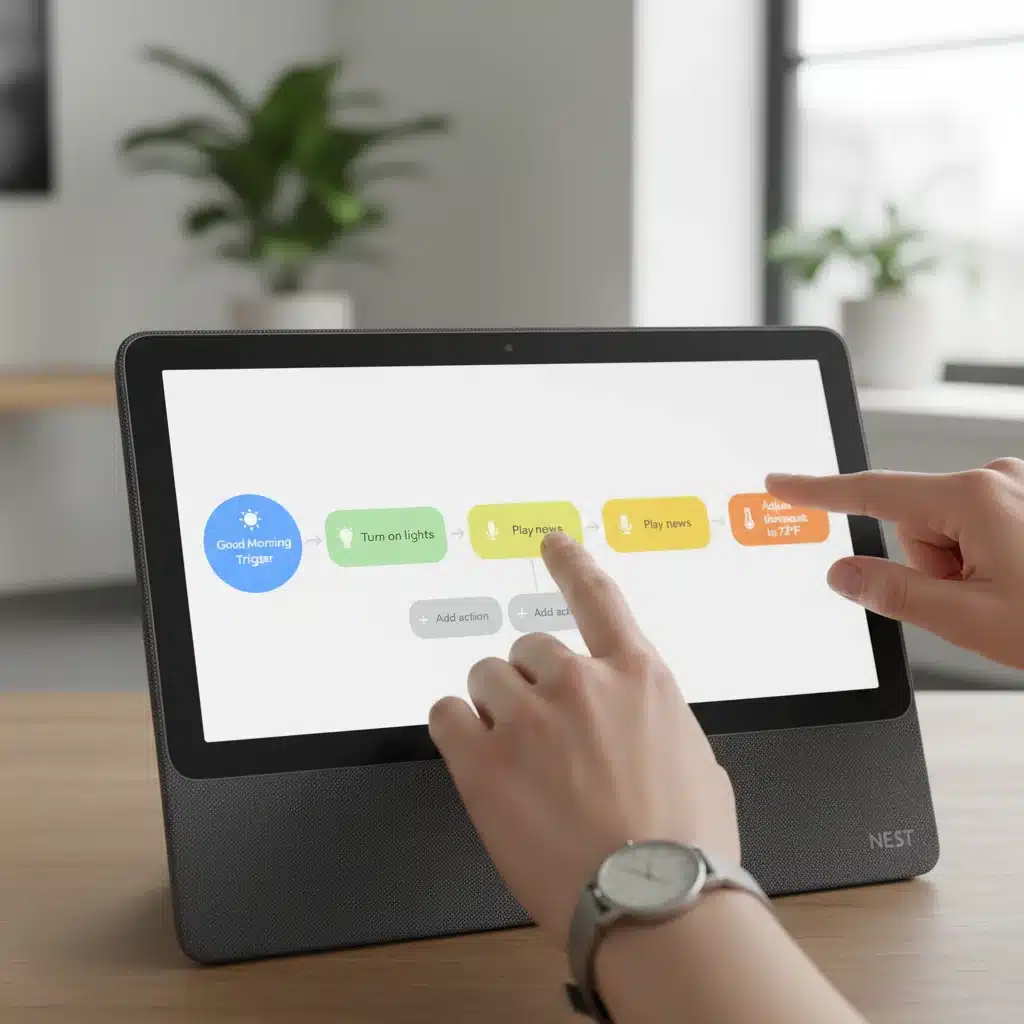
3. Multi-Assistant Orchestration: "Sync My Smart Home"
Many smart homes in 2026 are not exclusively Alexa or Google Assistant homes; they are a hybrid. This can lead to fragmentation, but with advanced voice commands, you can orchestrate actions across both platforms. This requires a bit more setup, often leveraging third-party services like IFTTT (If This Then That) or native integrations that have become more robust. The goal is to have a single command that triggers actions on devices connected to different ecosystems.
How to Set It Up (IFTTT Example):
Let’s say you have an Alexa-controlled smart lock and Google Assistant-controlled smart lighting.
- Create an IFTTT Applet:
- Go to IFTTT.com or open the app.
- Click "Create."
- If This: Search for "Google Assistant." Choose "Say a simple phrase." Enter your trigger phrase, e.g., "Sync my smart home."
- Then That: Search for "Alexa." (Note: Direct Alexa actions via IFTTT are limited, often requiring an intermediate smart home hub or a custom skill. A more common approach is to use a virtual switch.)
- Alternative Then That (using a virtual switch): If direct Alexa integration is difficult, use a virtual switch. Create a virtual switch in your smart home hub (e.g., SmartThings, Hubitat) that both Alexa and Google Assistant can see. When Google Assistant hears "Sync my smart home," IFTTT turns on the virtual switch. Then, create an Alexa routine that triggers when the virtual switch is turned on, performing the desired Alexa-specific actions (like locking doors).
- For Google Assistant Devices: Within the same IFTTT Applet, or a separate one, you can directly control Google Assistant-connected devices. Or, more simply, create a Google Assistant routine that includes the IFTTT trigger phrase and then adds native Google Assistant actions.
- Integrate with Native Routines:
- Alexa: Create an Alexa routine that is triggered by a voice command ("Alexa, sync home") and includes actions for Alexa-connected devices.
- Google Assistant: Create a Google Assistant routine that is triggered by a voice command ("Hey Google, sync home") and includes actions for Google Assistant-connected devices.
- The Ultimate Sync: The true multi-assistant orchestration comes when one assistant can trigger a routine on the other. This often requires a smart home hub that acts as a bridge or using IFTTT to create a "virtual button" that one assistant can press, which the other assistant then detects. For example, "Hey Google, activate Alexa security mode" could trigger an IFTTT applet that turns on a virtual switch, which in turn triggers an Alexa routine for security.
Achieving multi-assistant orchestration with advanced voice commands is the pinnacle of smart home integration. It eliminates the frustration of having to remember which assistant controls which device, allowing for a truly unified control experience. As smart home ecosystems continue to evolve, the interoperability between Alexa and Google Assistant is steadily improving, making these complex setups more accessible. This means fewer limitations and more possibilities for creating a truly seamless and responsive smart environment, regardless of the brand of your individual devices. This is a testament to the ongoing advancements in advanced voice commands, pushing the boundaries of what’s possible in smart living.
4. Personalized Guest Modes: "Welcome My Parents"
In 2026, your smart home isn’t just for you; it can intelligently adapt to guests. With advanced voice commands, you can activate a "Guest Mode" that adjusts settings specifically for visitors, ensuring their comfort and privacy without compromising your own. This could involve unlocking a specific smart lock, adjusting the guest room thermostat, turning on specific lights, and even providing a temporary Wi-Fi password.
How to Set It Up (Alexa):
- Create a new routine in the Alexa app.
- Set the trigger to "Voice" and use a phrase like "Alexa, welcome my parents."
- Add multiple actions:
- Smart Lock: Unlock the front door (ensure this is secure and you trust the voice command).
- Smart Thermostat: Set the guest room temperature to their preferred setting.
- Lights: Turn on lights in the guest room and common areas, perhaps to a welcoming brightness.
- Music/Welcome Message: Have Alexa play a welcome message or soft background music in the guest room.
- Wi-Fi Password: Use a custom skill or a smart display to show the guest Wi-Fi password. (e.g., "Alexa, show guest Wi-Fi on the Echo Show.")
- Security: Temporarily disable certain motion sensors in guest areas if desired, or set specific cameras to privacy mode.
- Save the routine.
How to Set It Up (Google Assistant):
- Create a new custom routine in the Google Home app.
- Set the "Starter" to "Voice command" with a phrase like "Hey Google, guest mode activated."
- Add actions:
- Adjust home devices: Control guest room lights, thermostat.
- Play and control media: Play welcoming music.
- Communicate and Announce: Broadcast a welcome message to smart speakers.
- Custom commands: "Unlock the guest door." (Again, exercise caution with smart locks). "Show guest Wi-Fi on the Nest Hub."
- Security: Integrate with compatible security systems to adjust settings for guest presence.
- Save the routine.
These advanced voice commands for guest modes showcase the hospitality capabilities of your smart home. It’s not just about convenience for you, but about extending that convenience and personalization to your visitors. This level of thoughtful automation creates a truly welcoming experience, making your guests feel right at home with minimal effort on your part. The ability to instantly transform your home’s environment to suit different occupants highlights the flexibility and intelligence of modern voice control systems. It’s a testament to how advanced voice commands are making our homes more adaptable and user-centric, enhancing the experience for everyone under your roof.
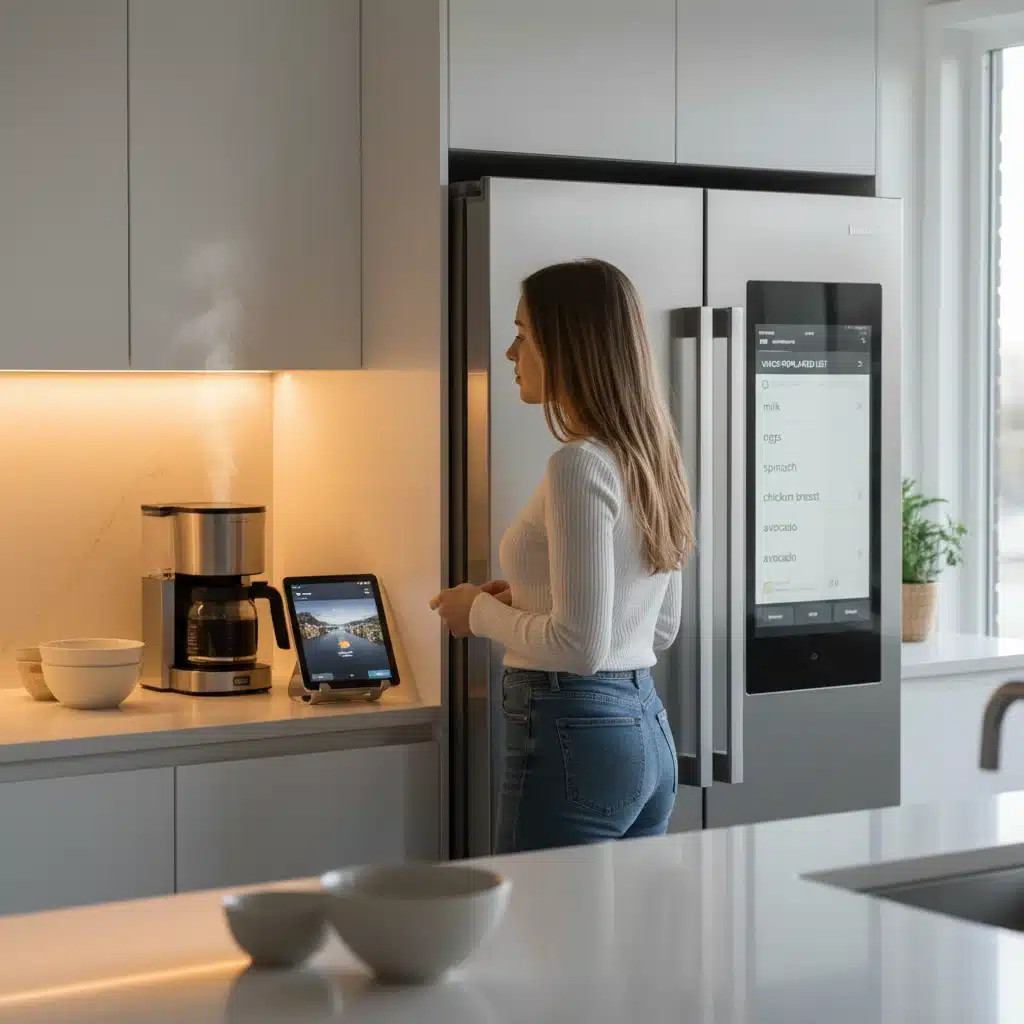
5. Intelligent Resource Management: "Optimize Energy Consumption"
With increasing awareness of environmental impact and rising energy costs, advanced voice commands in 2026 are playing a crucial role in intelligent resource management. Your smart home can be optimized to reduce energy consumption based on occupancy, time of day, and even real-time energy prices, all triggered by a simple voice command.
How to Set It Up (Alexa):
- Create a new routine.
- Trigger: "Voice" with "Alexa, optimize energy."
- Actions:
- Smart Thermostat: Set to an eco-friendly temperature range, or adjust based on external temperature data.
- Smart Lights: Turn off all non-essential lights or dim them significantly.
- Smart Plugs: Turn off devices connected to smart plugs that are known energy vampires (e.g., entertainment systems on standby).
- Energy Monitoring: If you have smart energy monitors, Alexa might be able to provide a summary of current energy usage or suggest further optimizations.
- Custom Skills: Explore third-party Alexa skills that integrate with smart energy providers or specific energy-saving devices.
- Save the routine.
How to Set It Up (Google Assistant):
- Create a new custom routine.
- Starter: "Voice command" with "Hey Google, optimize energy consumption."
- Actions:
- Adjust home devices: Control thermostat, lights.
- Smart Plugs: Turn off specified smart plugs.
- Custom commands: "Turn off all lights downstairs," "Set the AC to eco mode."
- Energy Insights: Google Assistant can integrate with certain smart meters and energy dashboards to provide insights into your consumption patterns, which can then inform your routine adjustments.
- Nest Integration: If you have Nest products, Google Assistant can leverage their advanced energy-saving features directly within routines.
- Save the routine.
This application of advanced voice commands transforms your smart home into an eco-conscious partner. By verbalizing your intent to save energy, your home intelligently responds by adjusting various systems, leading to a noticeable reduction in your carbon footprint and utility bills. The integration of real-time data, such as occupancy sensors and external weather conditions, further refines these routines, ensuring that energy is conserved without sacrificing comfort. This intelligent resource management capability is a testament to the growing sophistication of smart home technology, aligning convenience with sustainability. It’s not just about controlling your home; it’s about managing it responsibly and efficiently, all through the power of advanced voice commands.
Tips for Mastering Advanced Voice Commands in 2026
- Be Specific and Consistent: While voice assistants are getting smarter, using clear and consistent phrases for your advanced voice commands will yield the best results.
- Explore Custom Skills/Applets: Dive into the Alexa Skills Store and IFTTT applets. Many third-party integrations can unlock capabilities you didn’t even know existed, expanding the scope of your advanced voice commands.
- Leverage Smart Displays: Devices like the Echo Show or Nest Hub provide visual feedback for your advanced voice commands, which can be incredibly helpful for complex routines or when you need to confirm an action.
- Review Routines Regularly: As your smart home evolves, so should your advanced voice commands and routines. Periodically review and update them to ensure they meet your current needs and take advantage of new features.
- Understand Device Compatibility: Not all smart devices are created equal. Ensure your devices are compatible with Alexa or Google Assistant and support the advanced features you want to implement.
- Prioritize Security and Privacy: When setting up advanced voice commands, especially those involving locks or security systems, always prioritize security. Use strong passwords, two-factor authentication, and be mindful of what information you allow your voice assistant to access.
- Experiment! The best way to master advanced voice commands is to experiment. Try different phrases, combine actions in new ways, and see what works best for your unique smart home setup.
The Future of Advanced Voice Commands
Looking ahead, the evolution of advanced voice commands promises even more seamless and intuitive interactions. We can anticipate deeper integration with AI-powered predictive analytics, allowing your home to anticipate your needs even before you voice them. Imagine your home automatically adjusting lighting based on your known reading habits, or pre-heating your oven when it detects you’re on your way home and it’s dinner time. Further advancements in natural language understanding will enable more conversational interactions, where you can speak to your home as naturally as you would to another person, with the assistant understanding context, nuance, and even emotional cues.
The rise of ambient computing, where technology seamlessly blends into the background of your life, will further empower advanced voice commands. Sensors will become more sophisticated, providing rich data that your voice assistant can use to make more informed decisions. This means less explicit commanding and more implicit assistance, creating an environment that truly feels alive and responsive to your presence. The potential for hyper-personalization, where your home adapts not just to "a user" but to "you" specifically, learning your unique preferences over time, is incredibly exciting. As we move further into 2026 and beyond, advanced voice commands will continue to be at the forefront of this technological revolution, making our homes not just smart, but truly intelligent companions.
Conclusion
In 2026, advanced voice commands are no longer a novelty but a fundamental component of a truly intelligent smart home. By moving beyond basic instructions and embracing contextual scenes, proactive routines, multi-assistant orchestration, personalized guest modes, and intelligent resource management, you can unlock an unparalleled level of convenience, efficiency, and comfort. Alexa and Google Assistant have evolved into powerful personal assistants capable of understanding and executing complex requests, transforming your daily interactions with your living space.
Embrace these advanced voice commands, experiment with their capabilities, and watch as your home transforms into a responsive, intuitive environment that anticipates your needs and enhances your quality of life. The future of smart living is here, and it speaks your language. Start exploring these advanced voice commands today and take your smart home to the next level of mastery.